Details
Designed an end-to-end system connecting agents, customers, contractors, and admins, with focused improvements driven by real usage.
Services
Product Design
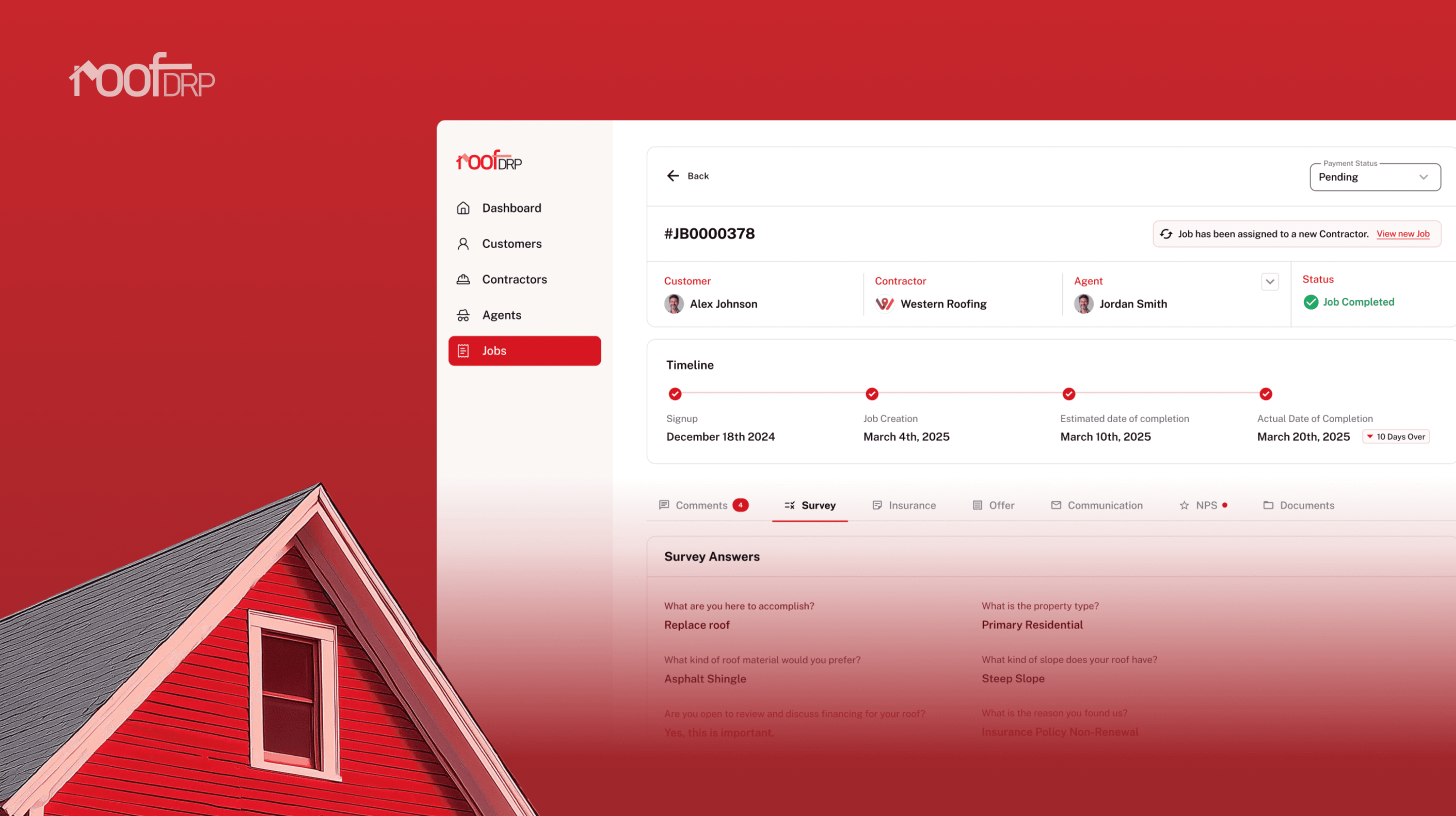
Overview
RoofDRP is a multi-sided platform that helps insurance agents, customers, contractors, and admins manage roof inspections, repairs, and replacements in one system. What was earlier handled through calls, spreadsheets, and paperwork is brought into a structured digital workflow.
As a Senior Product Designer, I designed RoofDRP from the ground up by first understanding how the business operates offline, then translating that reality into clear, role-based flows that work together as a single platform.
It began with understanding how roofing work actually happens.
How a job starts and who initiates it
Who drives decisions and why
Where handoffs break down
Why people fall back to offline tools
We spoke to contractors and customers, mapped the full job lifecycle, and laid out every handoff across roles. Only once the system was clear did we move into flows, sketches, and iterative design.

The Challenge
RoofDRP needed to replace a real, functioning offline process without slowing it down or over-complicating it. The challenge was to design a system people would trust enough to stop relying on calls, spreadsheets, and paperwork.
Understanding an agent-led roofing workflow before designing any screens
Converting informal, manual steps into structured digital flows
Helping customers navigate an unfamiliar process with confidence
Giving contractors everything they need to manage jobs in one place
Ensuring admins can monitor jobs and outcomes without manual tracking
Keeping discovery, communication, and execution inside the platform
Approach
The challenge wasn’t designing screens, but alignment.
RoofDRP had to work for customers unfamiliar with roofing, contractors focused on execution, and admins tracking outcomes, all within one system.
I approached this by designing around the job, not the user. Every role interacts with the same job, but with different needs. Instead of separate flows, I built one shared system with role-specific layers on top.
The principle was simple: don’t force users to understand the system, let the system adapt to them.
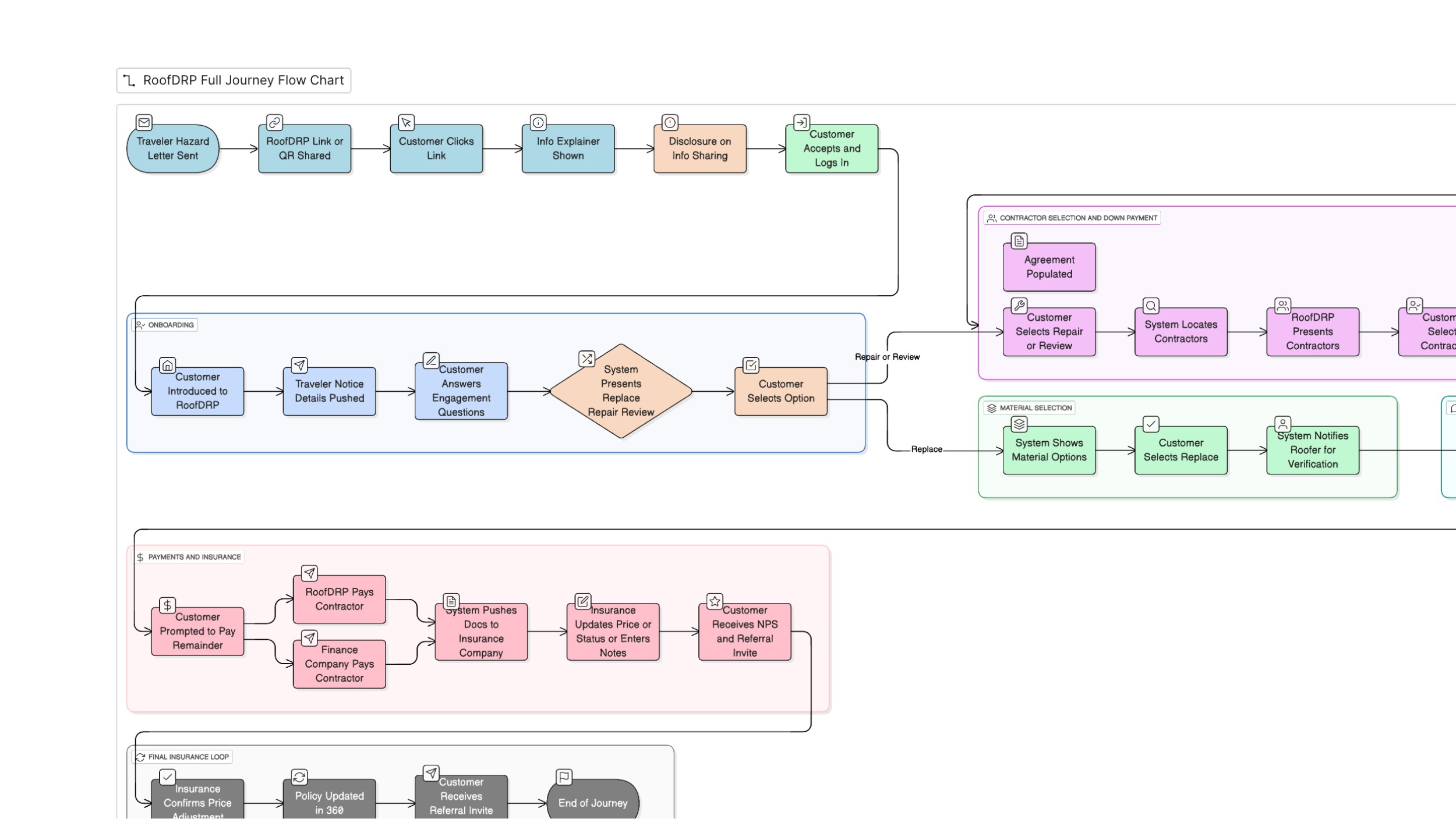
The same job had to feel simple to a customer and detailed to a contractor, without duplicating work.
Key Design Decisions
Design choices that shaped how jobs are created, managed, and completed across customers, contractors, and admins.
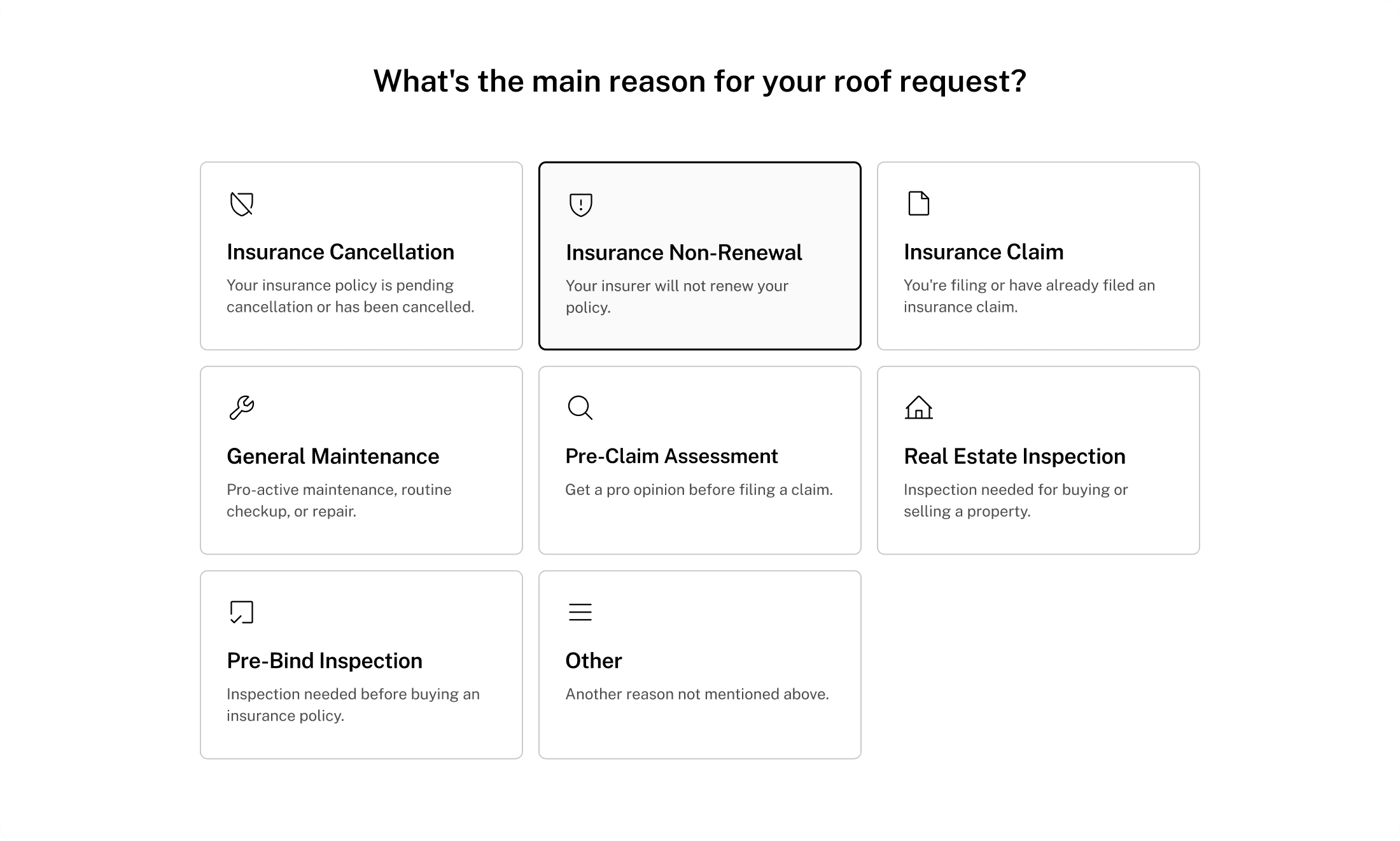
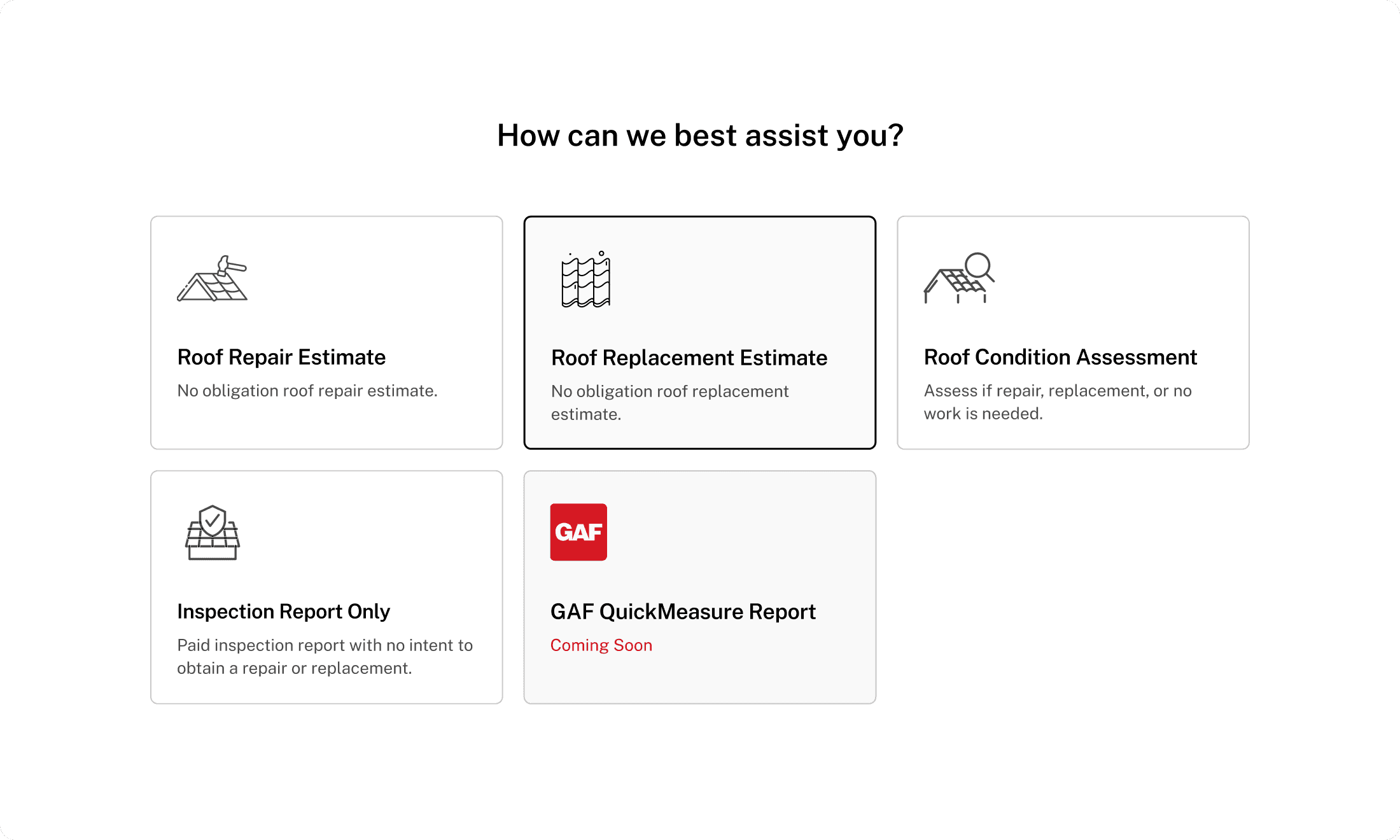
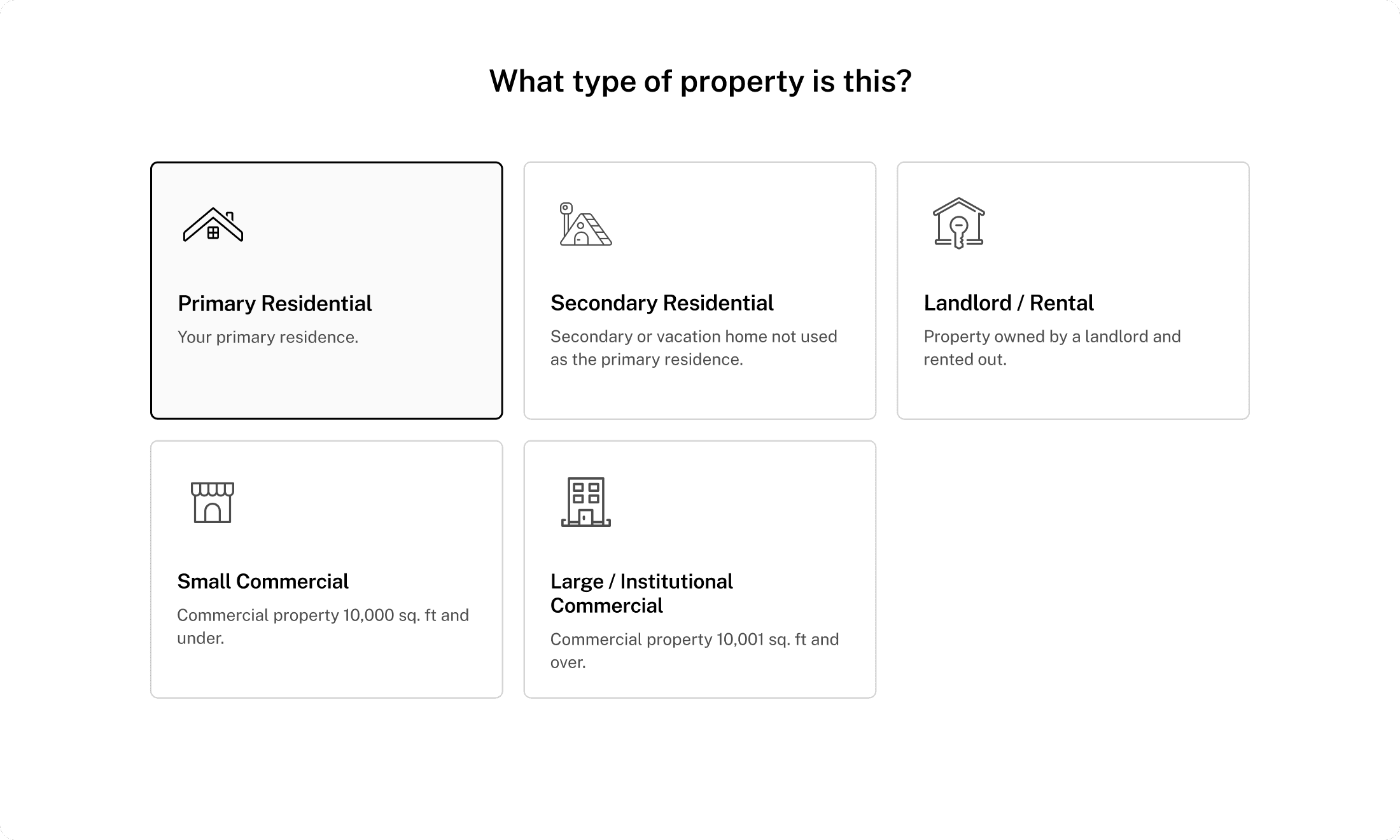
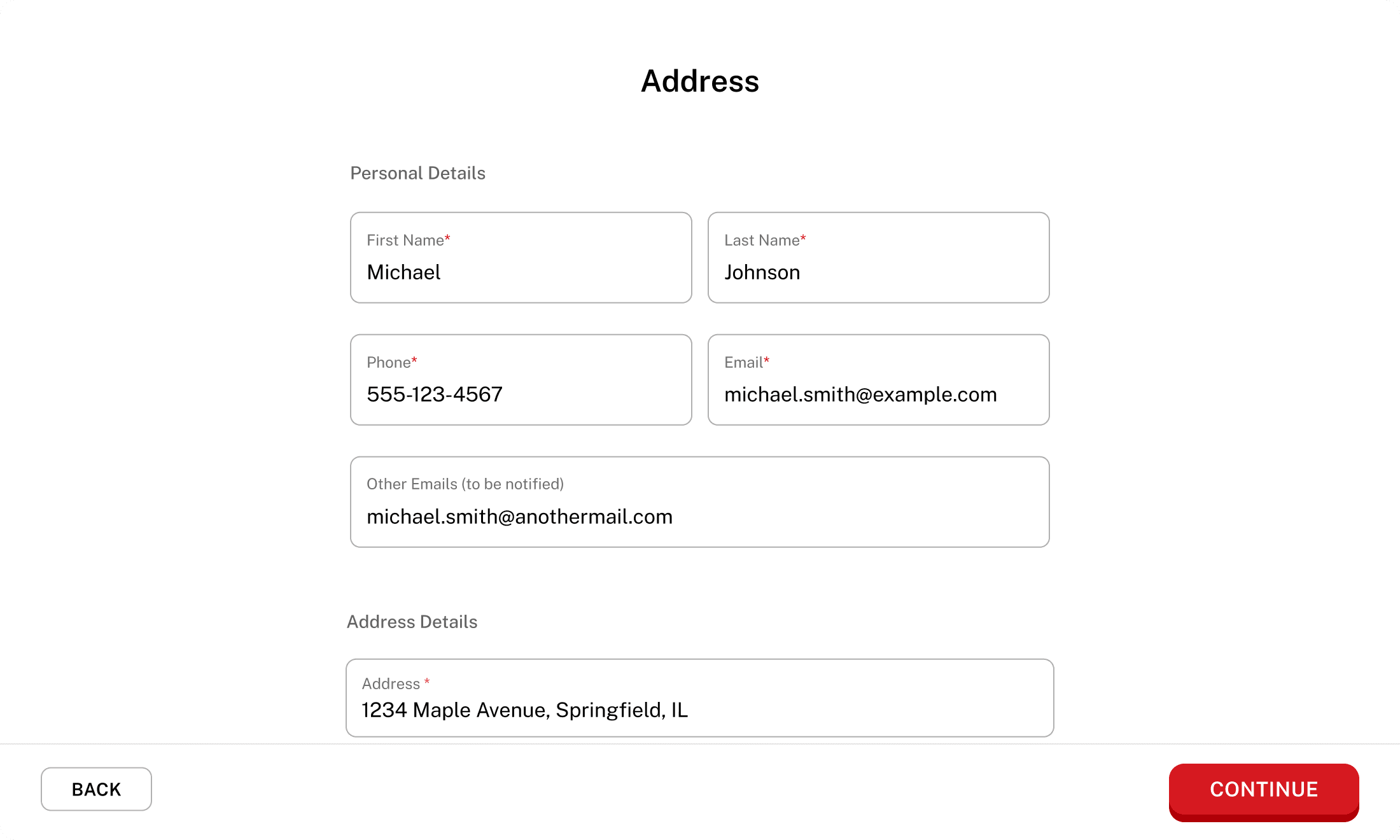
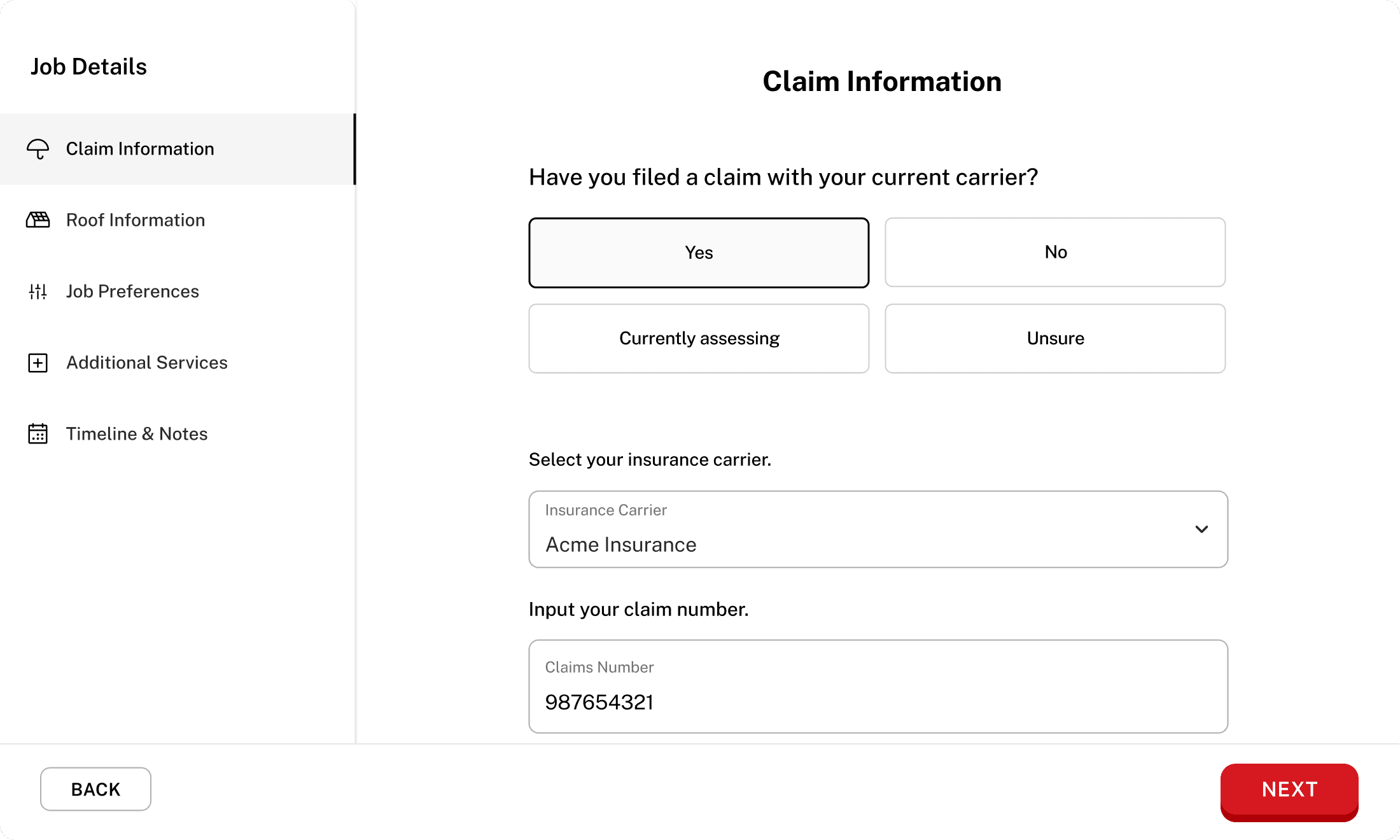
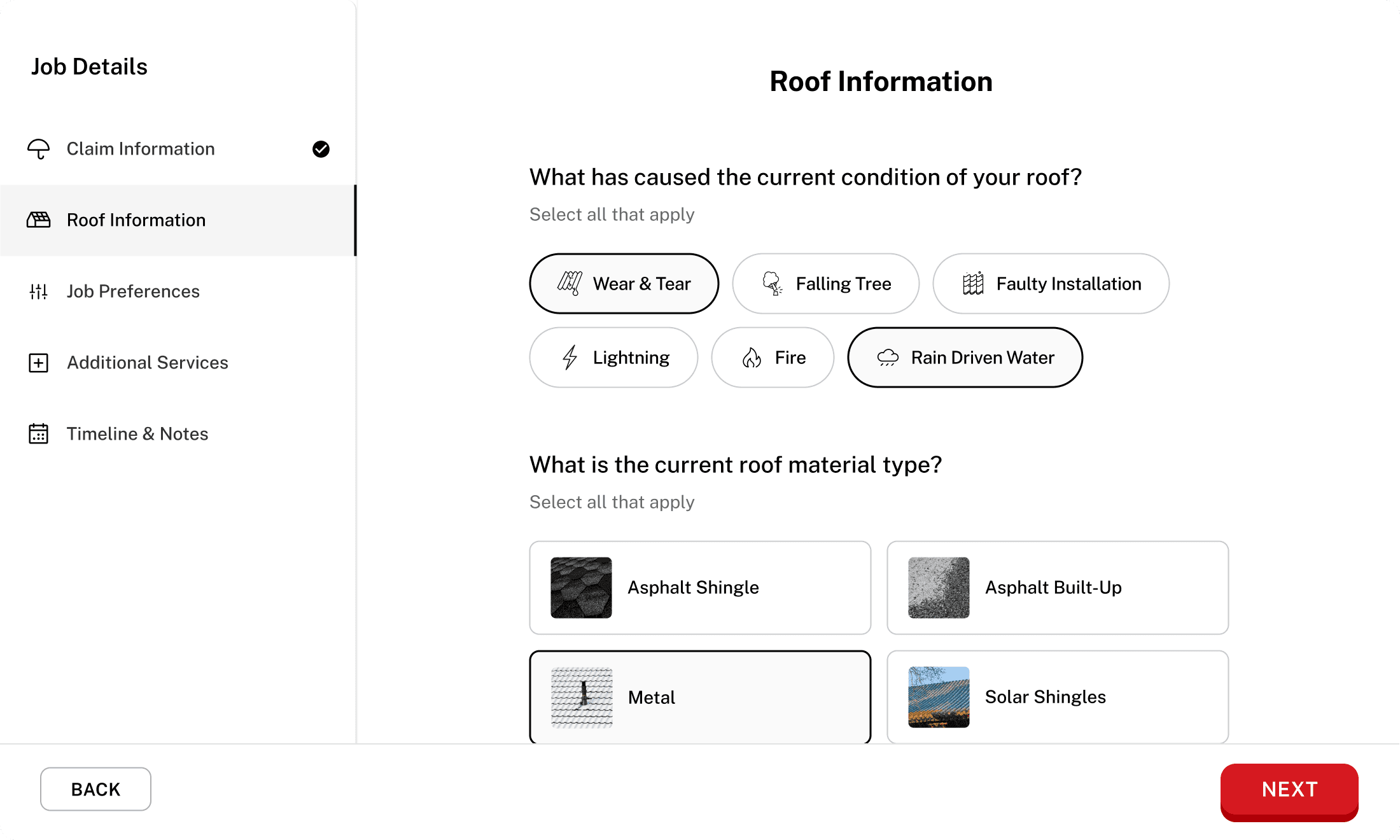
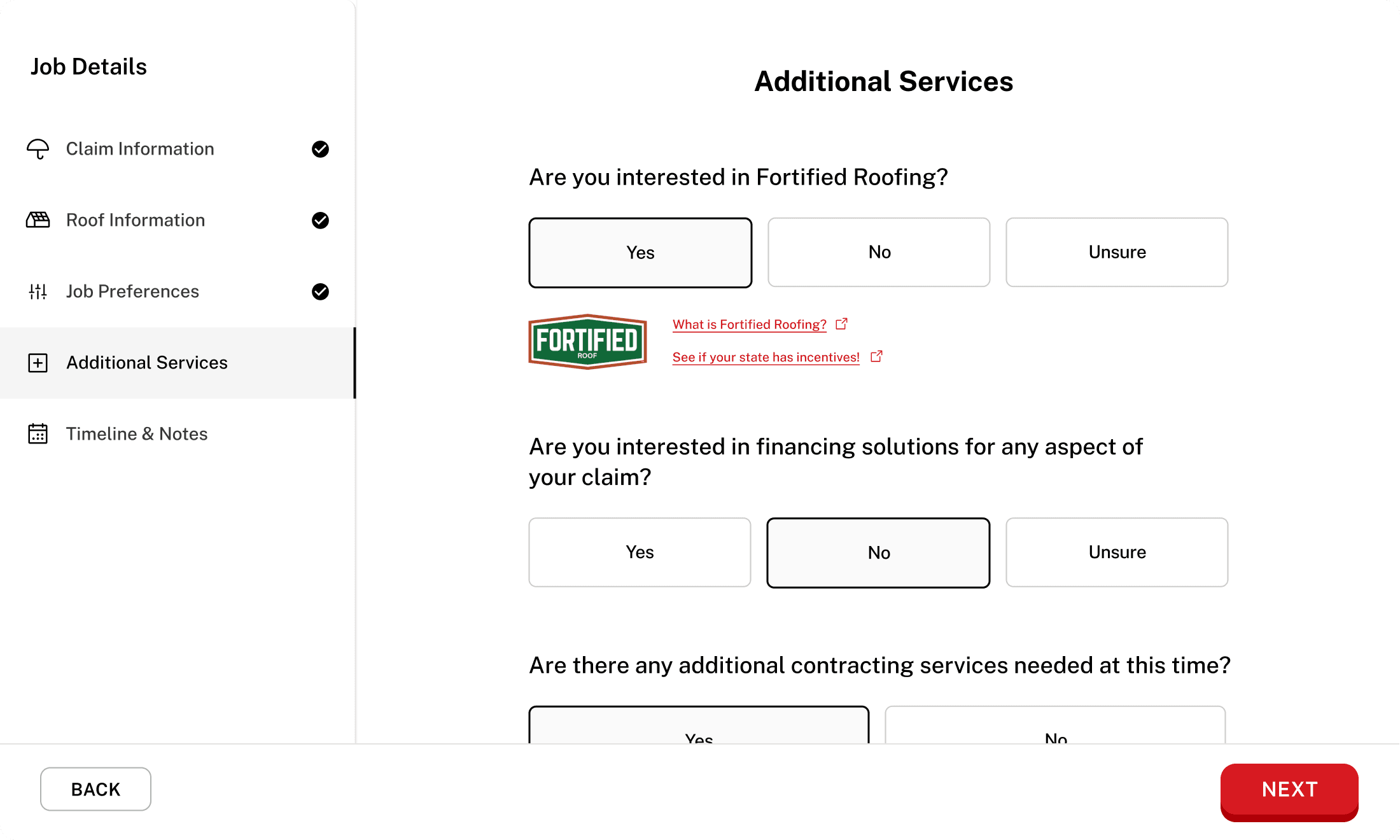
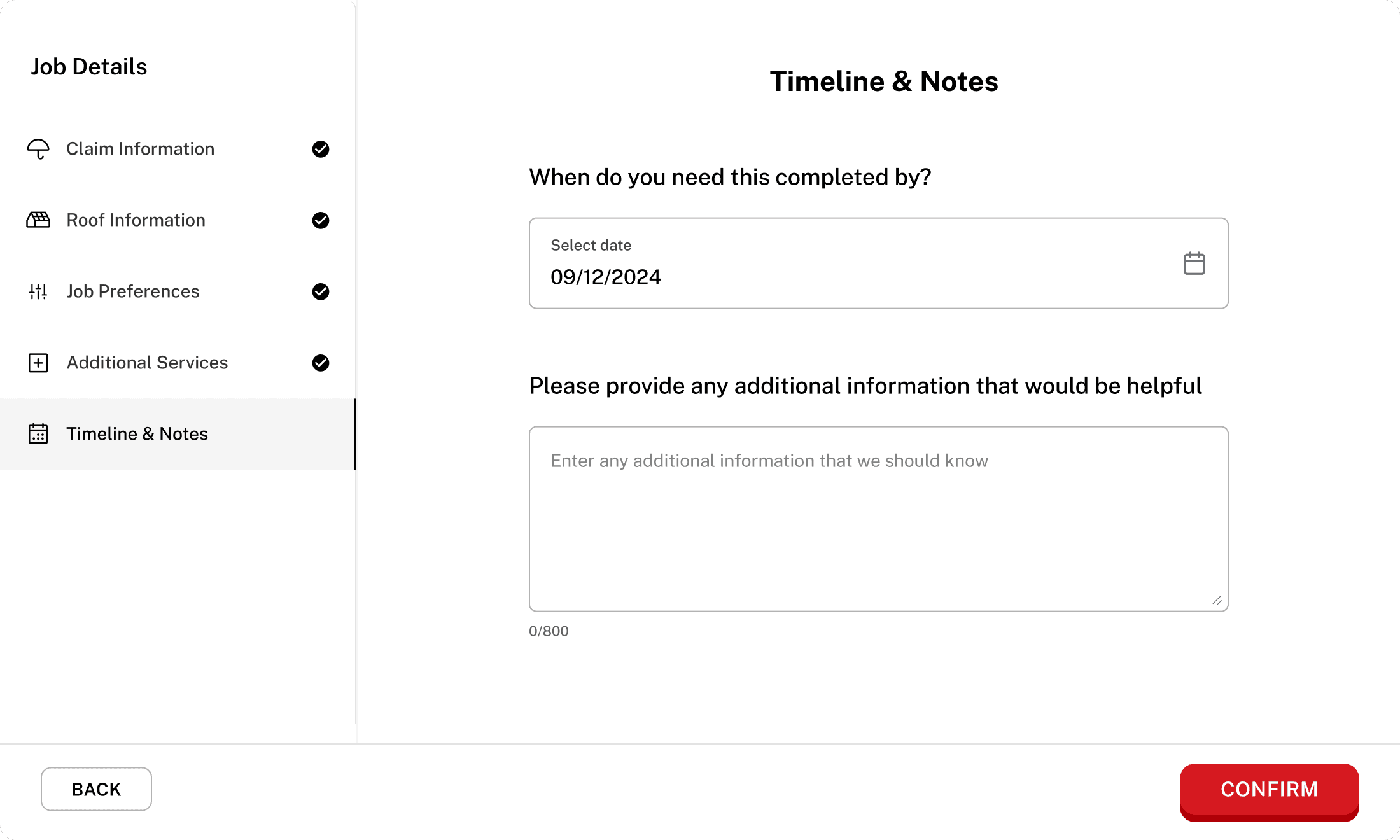
Turning job creation into a guided journey
Job creation was designed as a step-by-step flow instead of a single long form. This helped customers ease into an unfamiliar process, reduced cognitive load, and ensured the platform collected structured, high-quality inputs. Early usage insights were used to further refine this flow and improve completion.
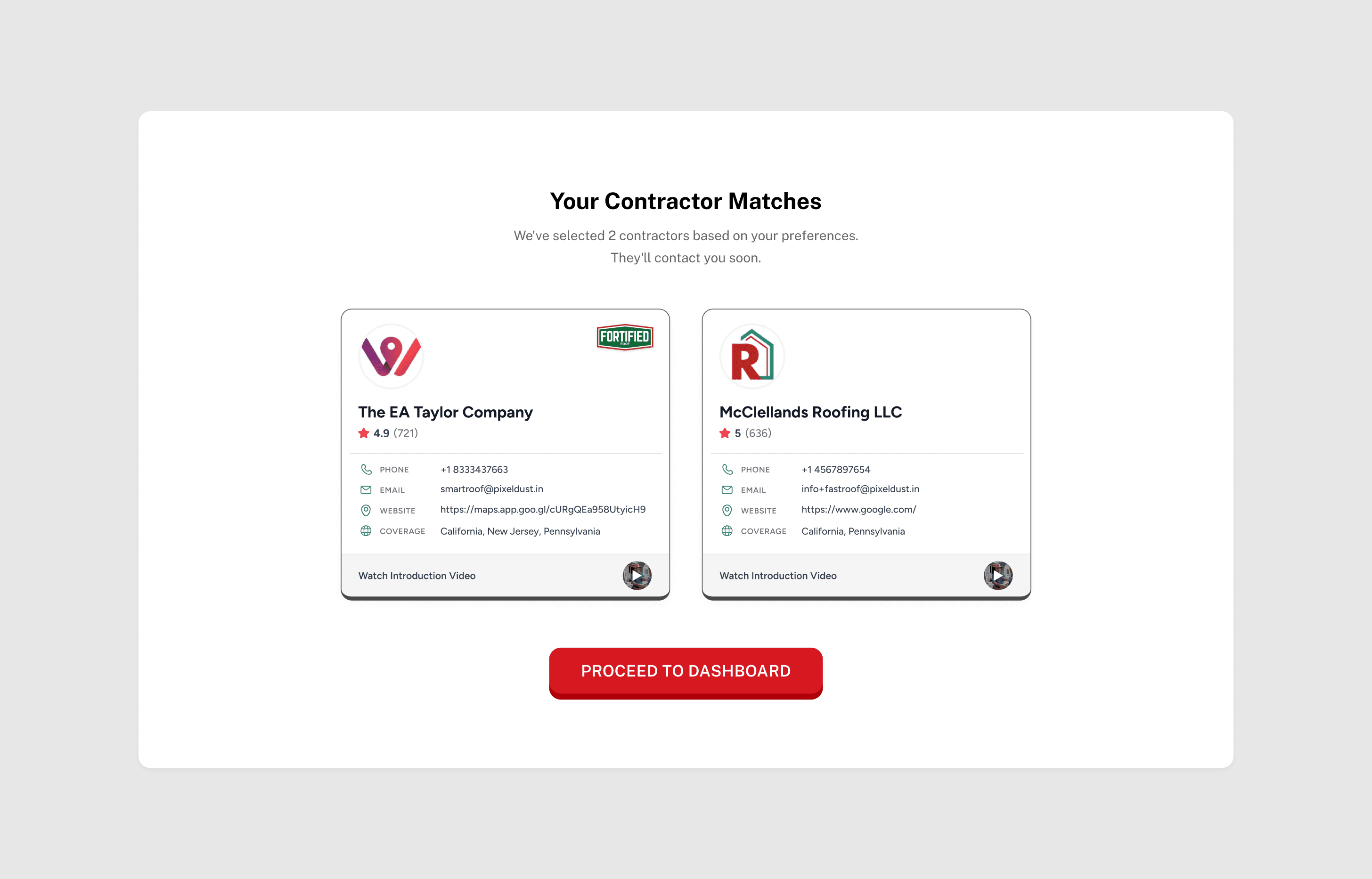
Moving contractor selection from users to the system
Instead of asking customers to choose from many contractors, the platform assigns each job to up to three relevant contractors. This reduced decision fatigue, improved match quality, and prevented discovery and negotiation from moving offline.
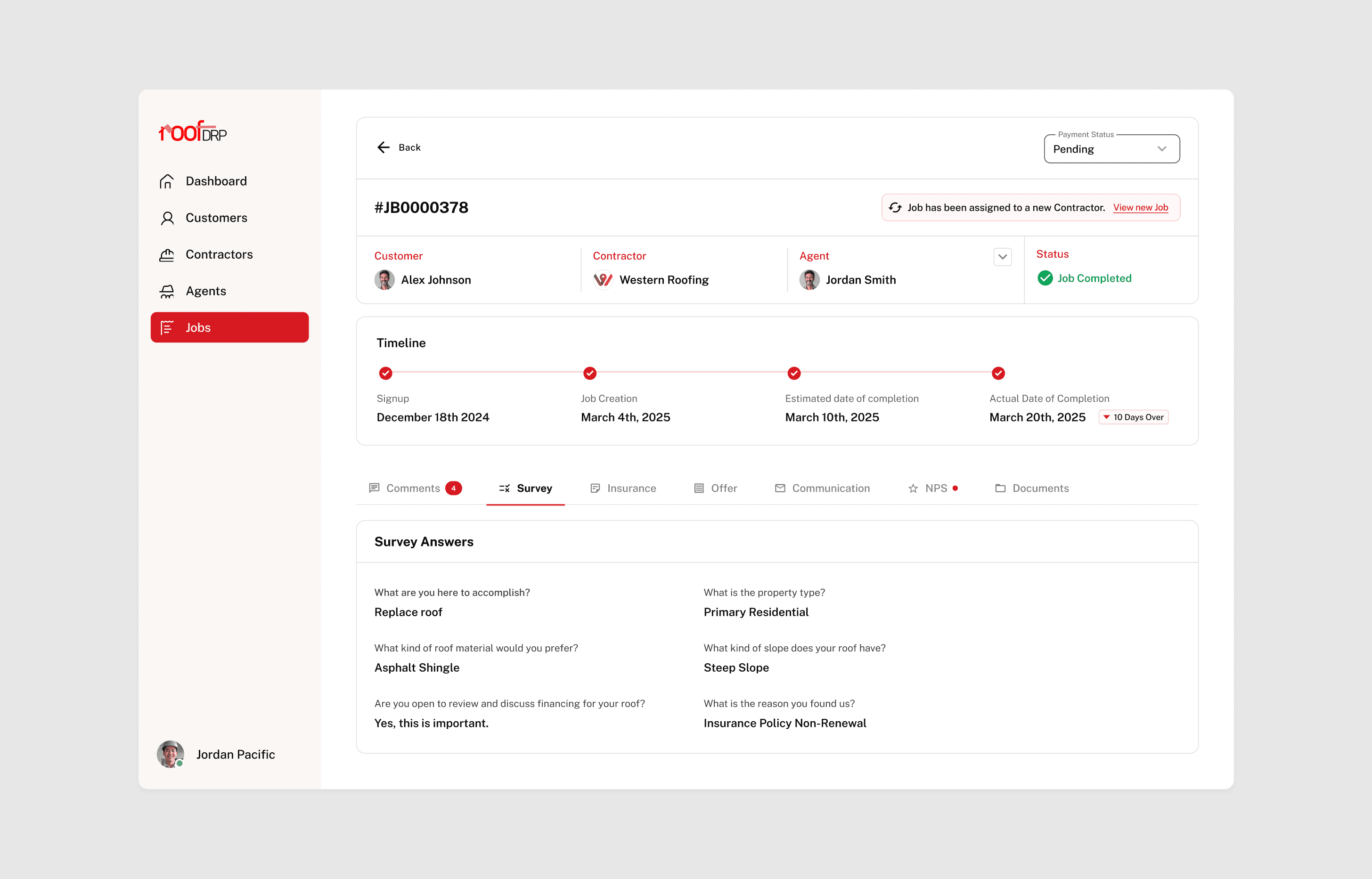
Making each job a single source of truth
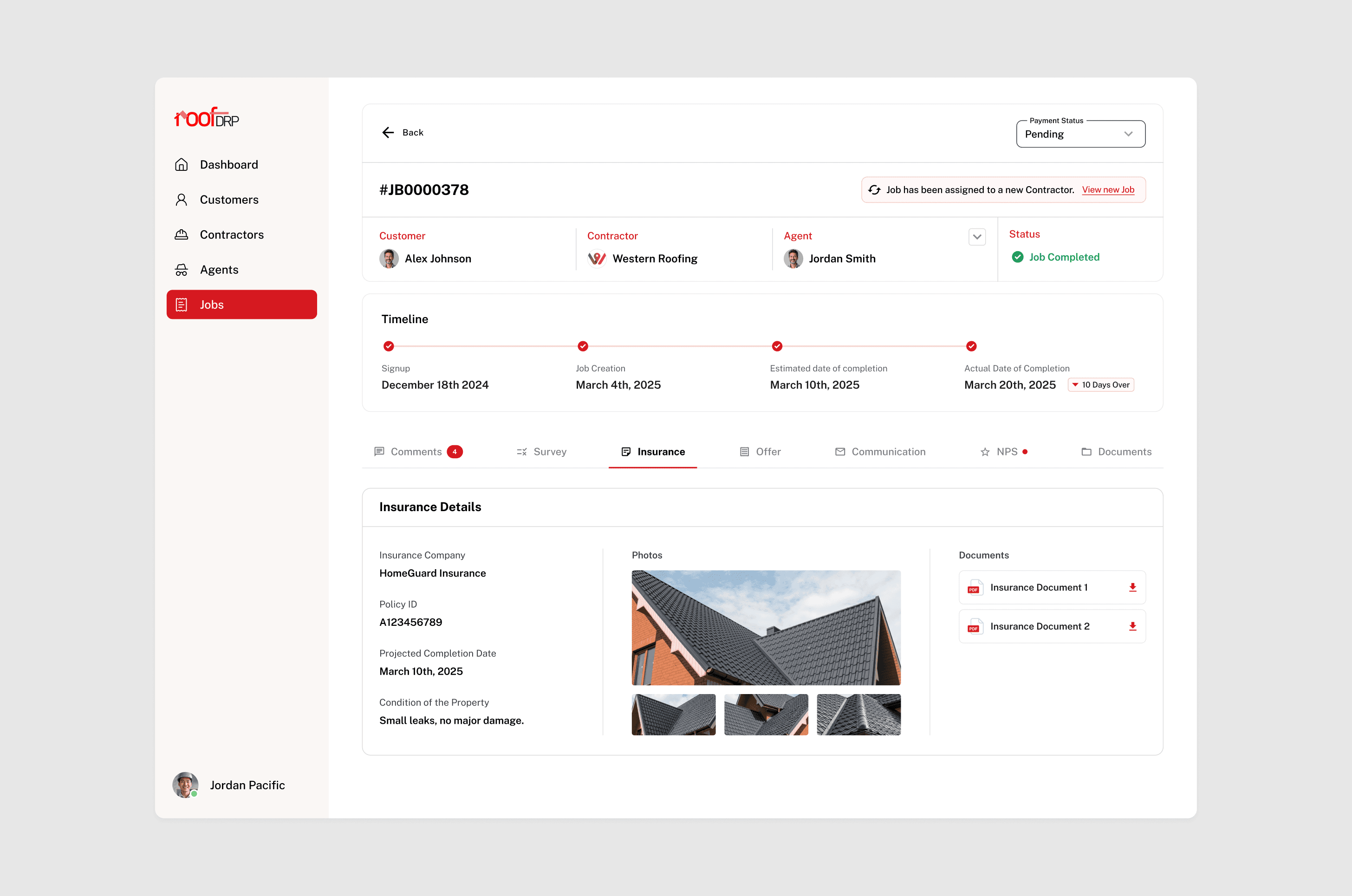
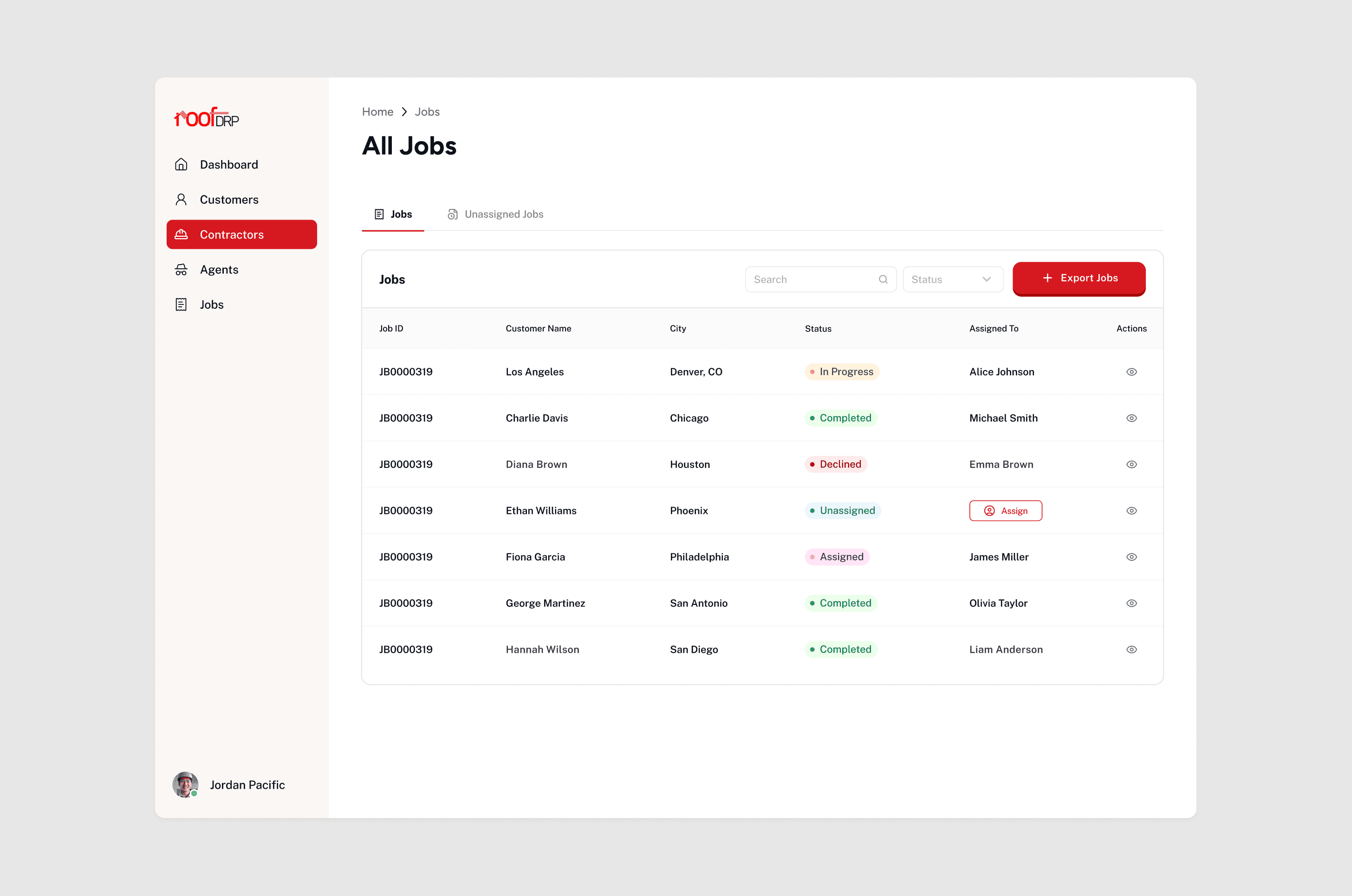
Jobs were designed as the core unit of the system. Status, timelines, communication, insurance details, offers, documents, and signatures live in one place, allowing contractors and admins to manage work without relying on calls, spreadsheets, or external tools.
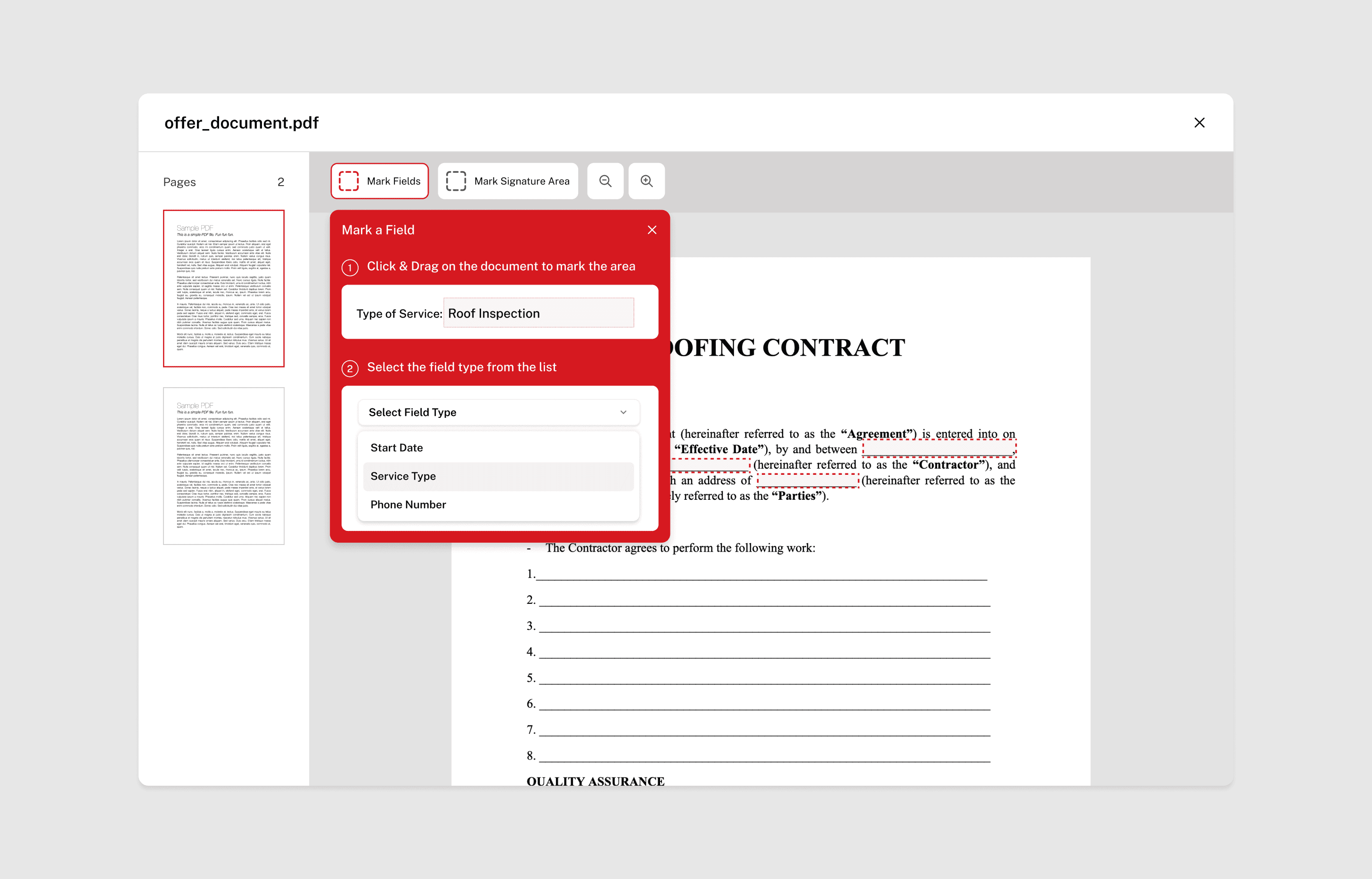
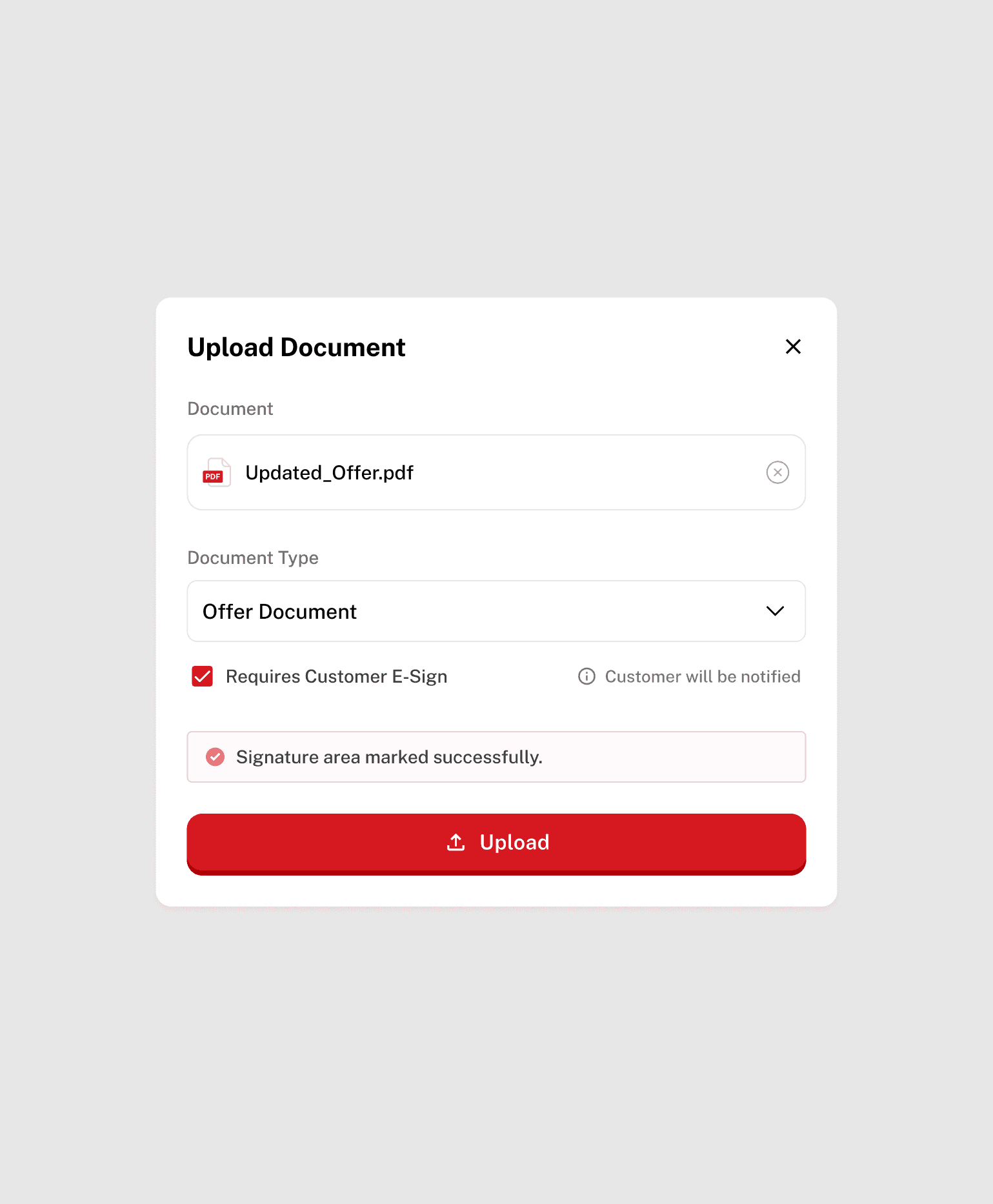
Embedding documents and e-sign into the workflow
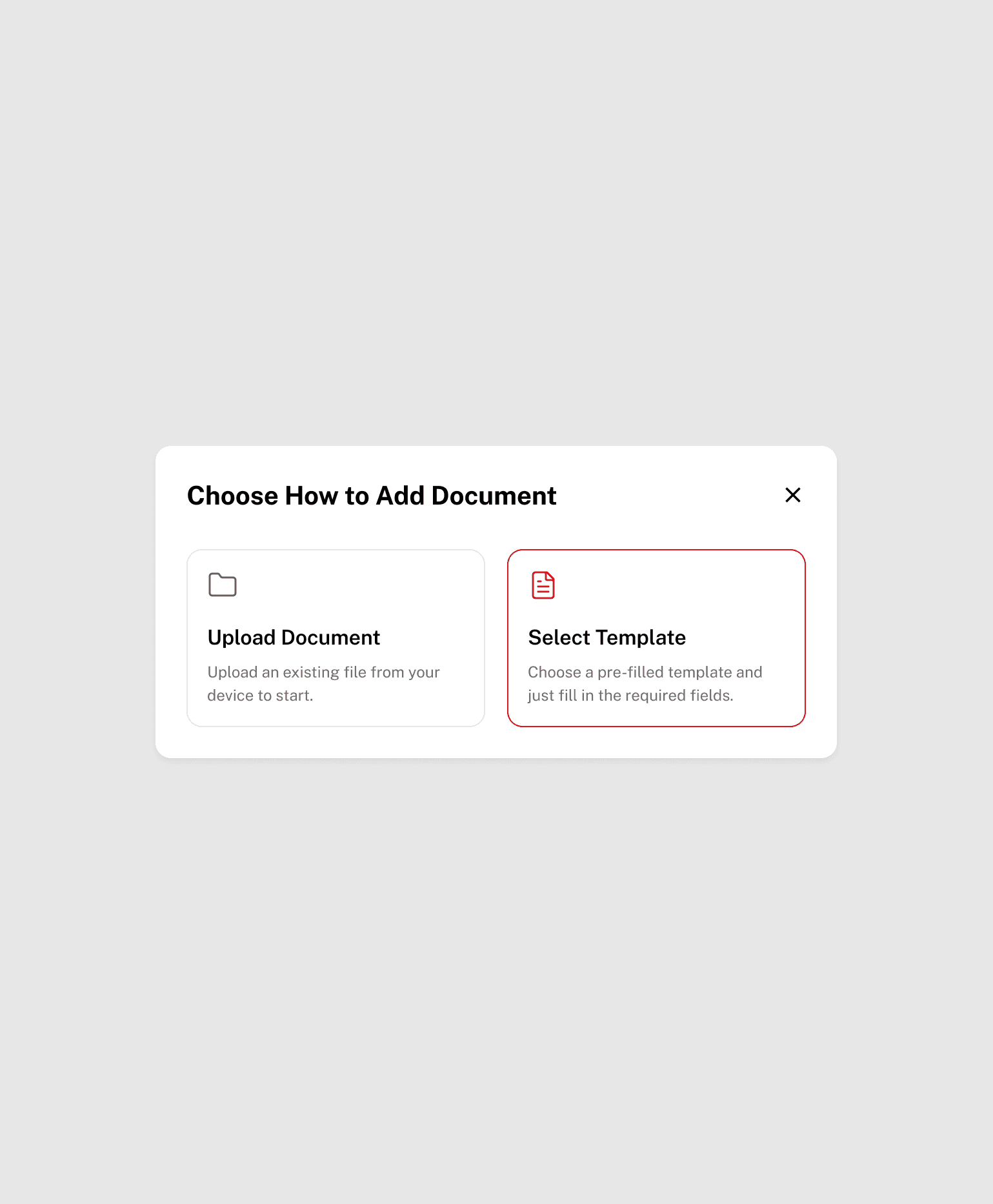
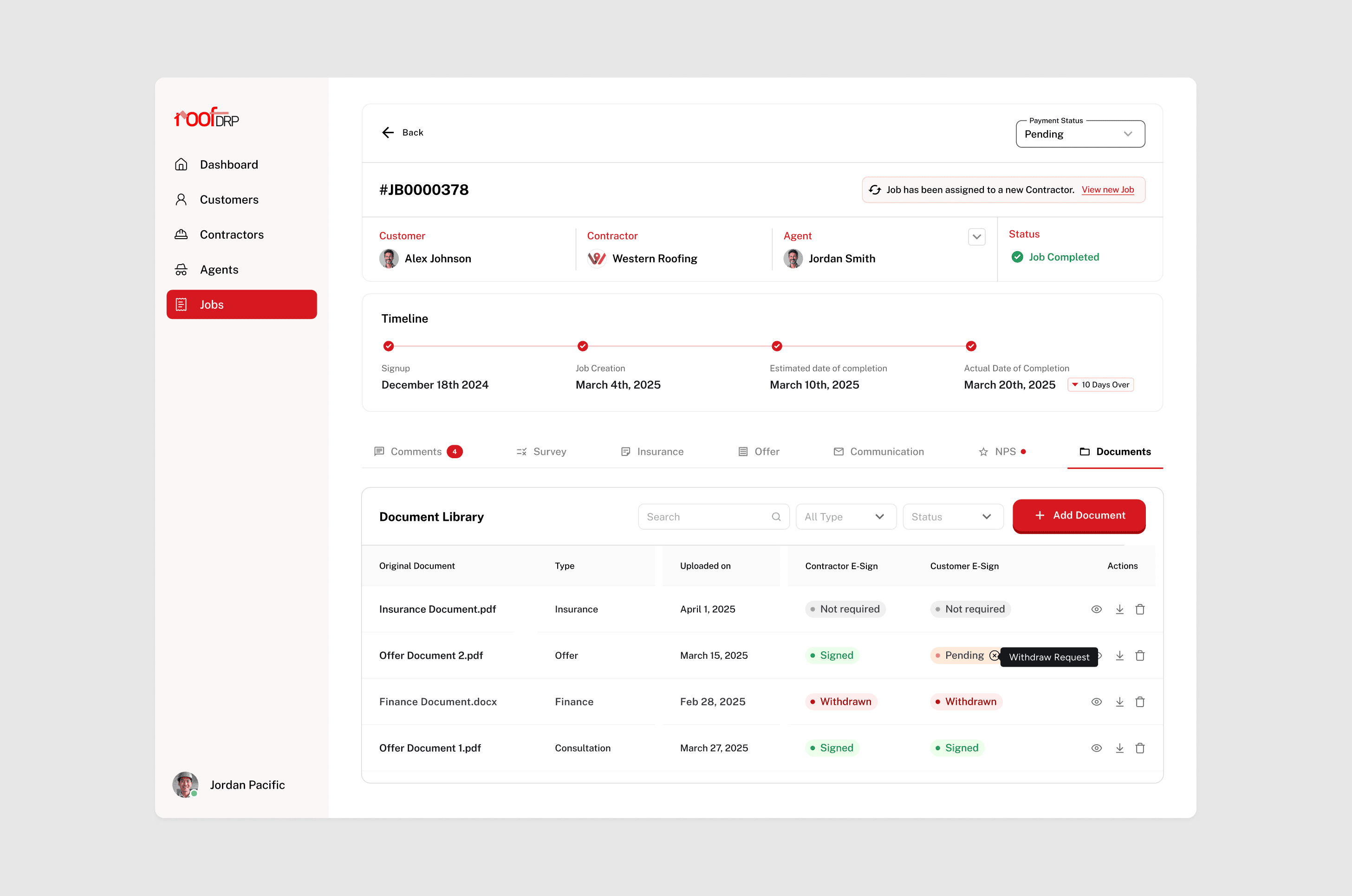
Document creation, signing, and tracking were integrated directly into the job flow. Contractors can reuse templates and manage signatures, while customers experience a simple review-and-sign process, reducing paperwork friction and follow-ups.
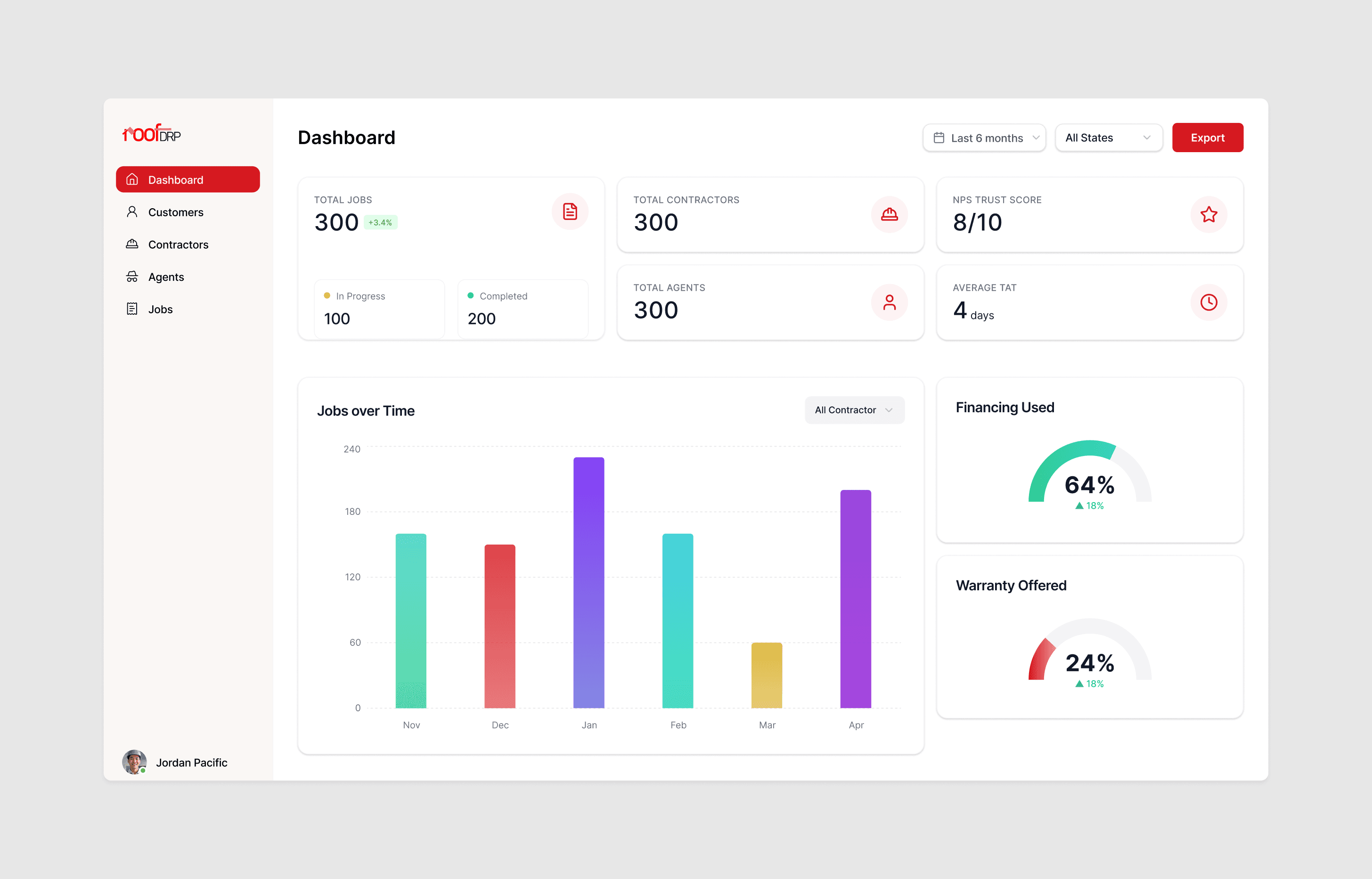
Designing dashboards for execution and visibility
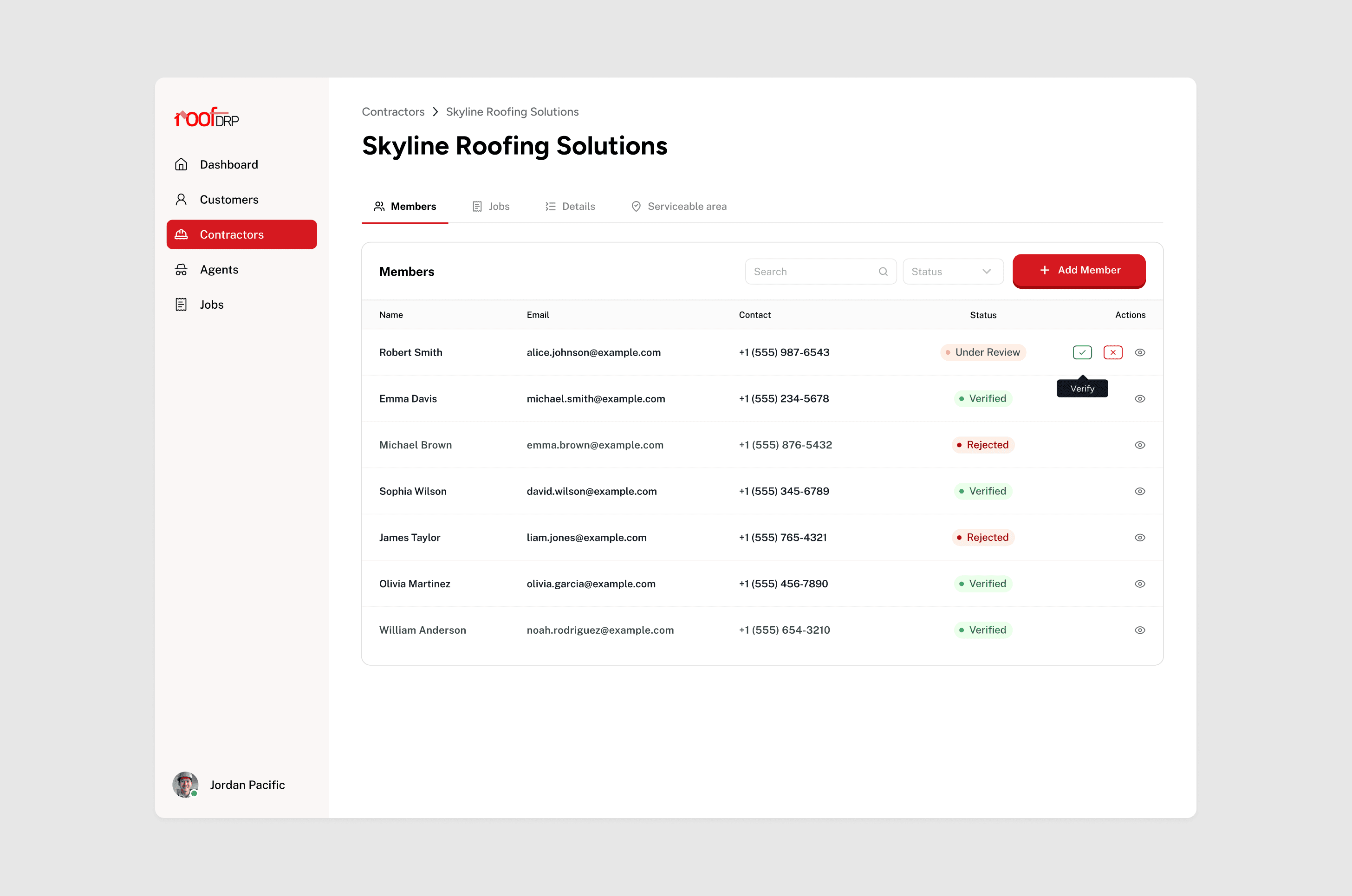
Contractor and admin dashboards focus on execution, accountability, and operational visibility. Instead of vanity metrics, they surface signals that help track progress, identify bottlenecks, and manage outcomes across the platform.
Insight
Final Design
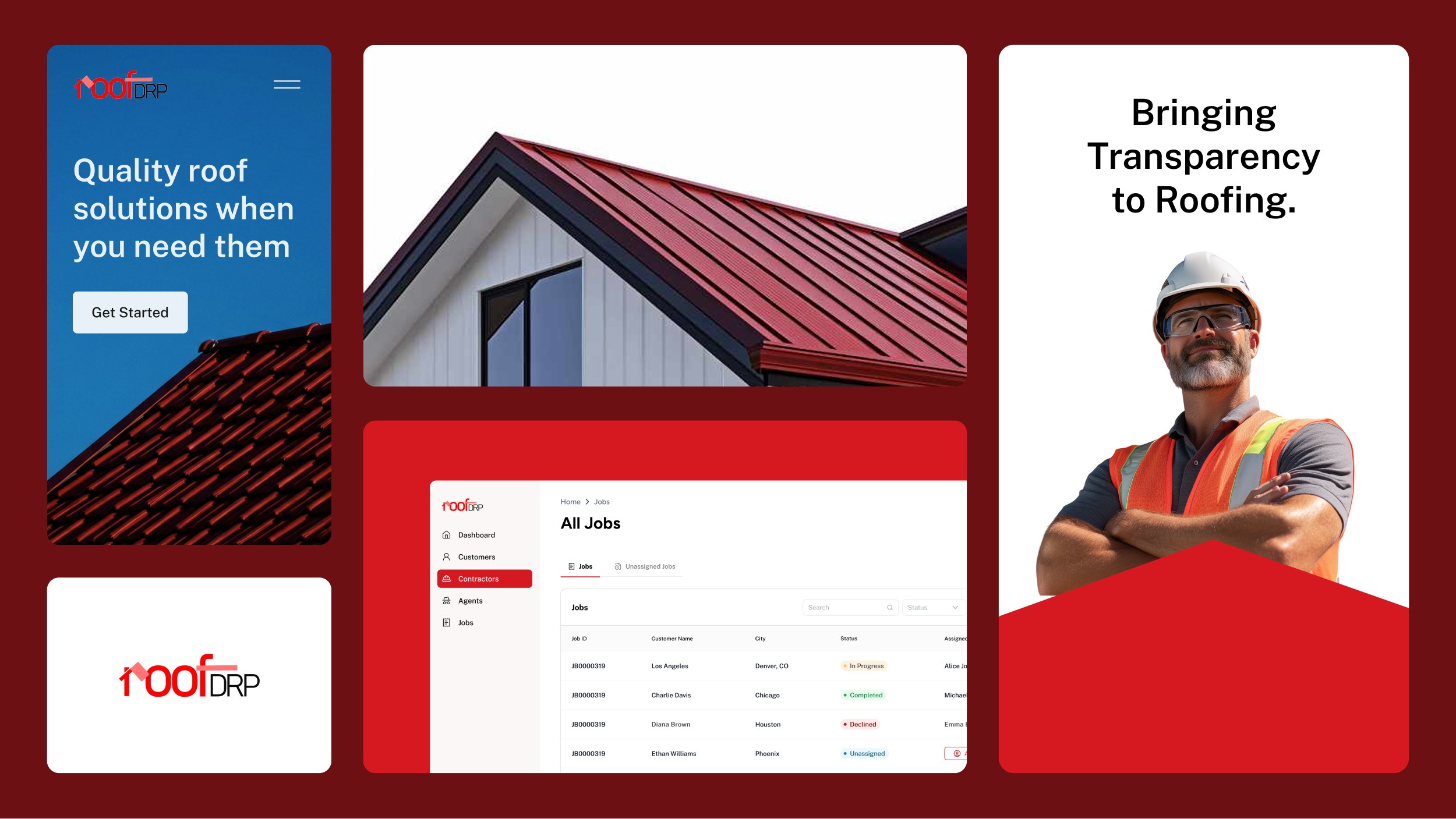
These screens reflect how RoofDRP works in practice. From guided job creation to execution-focused dashboards, every surface is designed to support clarity, accountability, and trust across roles.
Outcome
Once the core workflows were simplified and ownership was clear at every step, the impact showed up quickly in how people used the platform and how work moved through it.
~25–30% increase in job creation completion after moving from long forms to a guided flow
~20% faster contractor turnaround on inspections and proposal submissions
Significant drop in offline follow-ups (calls, spreadsheets, manual tracking)
High early contractor adoption, with most active contractors using the platform daily within the first few weeks
Consistent admin visibility across jobs, contractors, and outcomes without manual reporting
Iterating on real usage data helped improve completion, reduce drop-offs, and increase client satisfaction over time.