Details
One platform to run an entire medical waste operation
Designed an end-to-end system connecting admin staff, drivers, and healthcare clients on a single shared data backbone.
Year
2026
Client
Biowaste
Services
Product Design, Mobile App
Overview
Complete operating system for one of Tennessee's longest-running medical waste companies.
Founded in 2009 and headquartered in Tullahoma, BioWaste is Tennessee's longest-operating locally owned medical waste company. They serve hospitals, clinics, dental offices, labs, surgery centers, and long-term care facilities across Central and Eastern Tennessee, handling sharps, pharmaceutical and pathological waste, RCRA hazardous materials, document shredding, and OSHA/HIPAA compliance training, all out of their TDEC-licensed treatment facility.
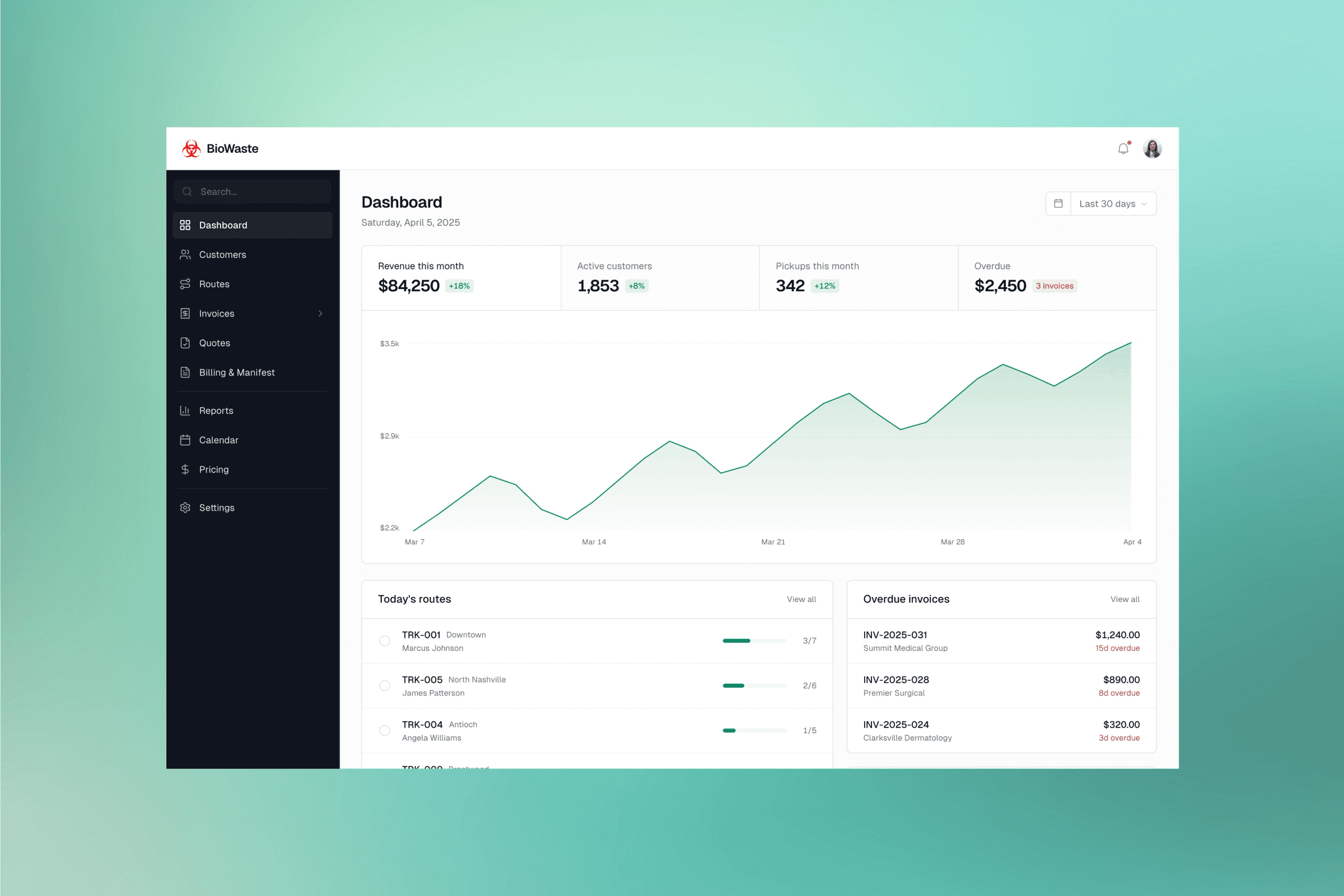
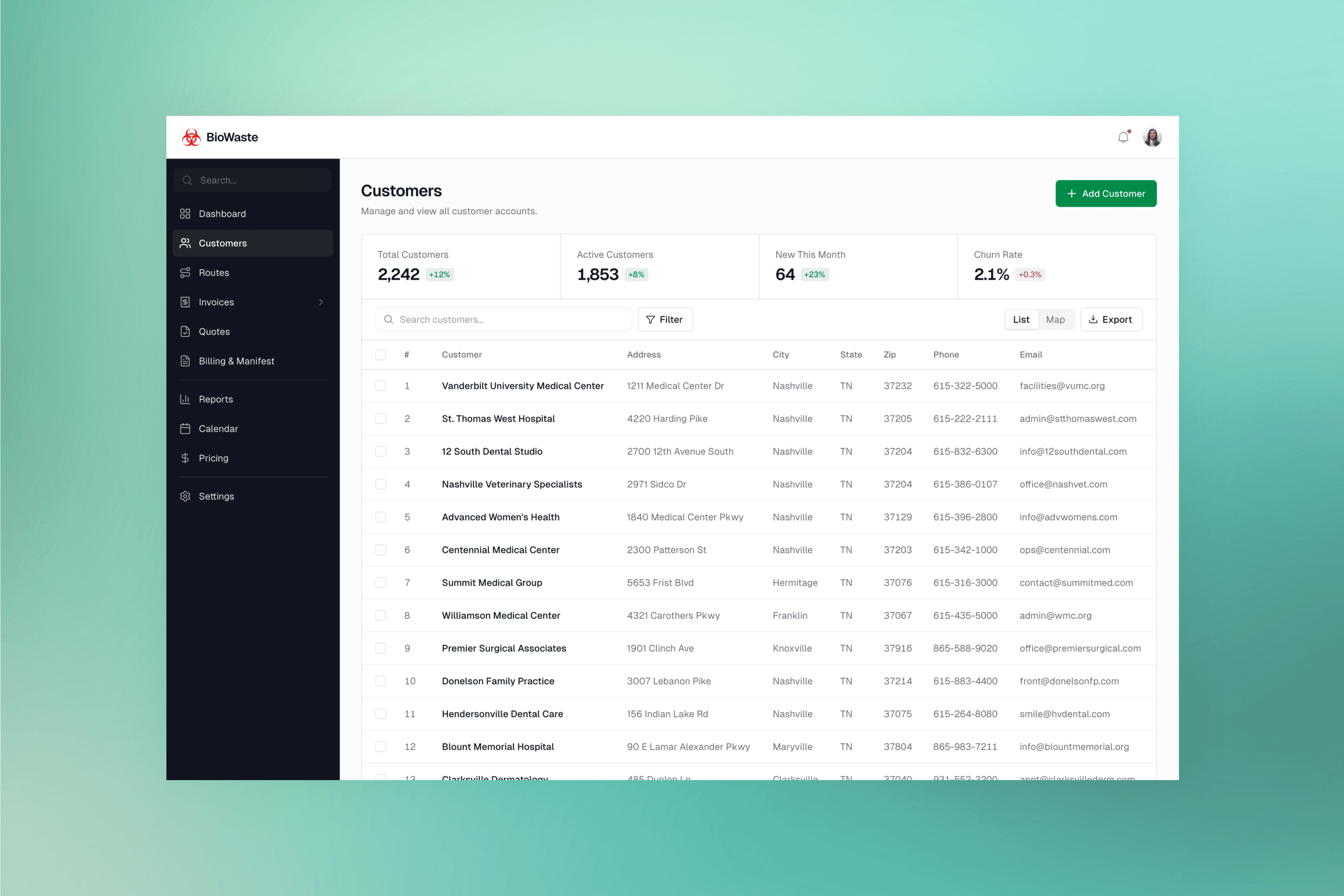
As Senior Product Designer, I designed and built the complete operating system: an Admin Portal for operations, a Client Web Portal for healthcare facilities, and a Driver Mobile App for the field, all on a single shared data backbone.
The Problem
Starting with the business
It began with understanding how medical waste pickup actually works.
How a pickup moves from scheduled to signed off, step by step
Where handoffs happen between drivers, admins, and clients
How a completed stop becomes a manifest, billing record, and invoice
What going wrong looks like, and who catches it before it costs the business
We shadowed drivers on active routes, interviewed admin staff, and mapped every handoff across roles. Only once the business was clear on screen did we move into prototypes, testing, and iterative design.
The Challenge
Translating an entire offline business into software
Biowaste needed to replace a third-party legacy system the team had outgrown, without disrupting the daily logistics work that keeps regulated waste moving safely and on schedule. The challenge was to design a system the team would trust enough to stop reaching for spreadsheets, calls, and informal handoffs.
Mapping the full offline workflow before designing any screens
Replacing a third-party legacy system without disrupting live operations
Giving admin staff full control over every exception and edge case
Building a driver app that works under gloves on a 6 a.m. shift, across 80+ miles
Letting healthcare clients self-serve on compliance, billing, and training
Turning every stop into a clean handoff between driver, admin, and client
Approach
Skip wireframes. Prototype, test, repeat.
After research, we went straight to high-fidelity prototypes in Figma. No wireframe phase. The complexity of the flows, the number of states, and the volume of edge cases made lo-fi iteration too slow and too abstract. We needed something testable with real users from day one. Admin staff and drivers were brought in throughout. Every round of feedback reshaped the flows, especially on the admin side, where the control admins needed over exceptions kept expanding in ways we had not initially anticipated.
The same pickup had to be a manageable task for a driver, a compliance record for an admin, and a billed invoice in the client's inbox, all from one completed stop.
Key Design Decisions
Designing the core platform
Design choices that shaped how stops are completed, routes are run, and invoices get paid across drivers, admins, and healthcare clients.
Three surfaces, one source of truth
An Admin Portal, a Client Web Portal, and a Driver Mobile App, all on a single shared data backbone. A pickup logged in the field flows automatically into manifests, billing, invoicing, and client sign-off, with no one retyping anything along the way.
From a completed stop to a paid invoice
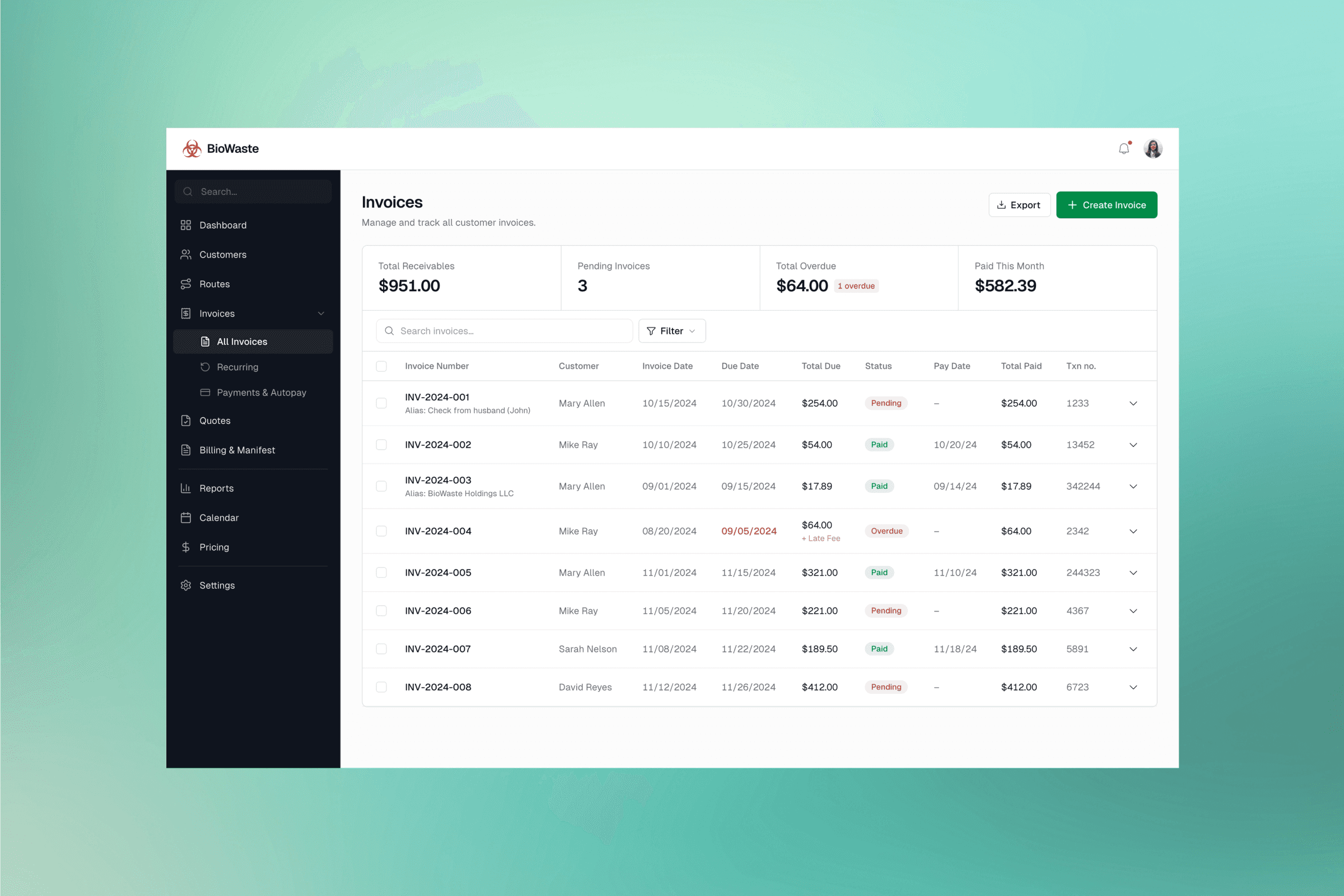
Driver completes the pickup and delivery, and a manifest plus proof of delivery land on the admin side. Once approved, both records merge into a single billing unit, become an invoice, and appear in the client portal where customers pay through their preferred method. Admin can also pay on behalf of customers when needed.
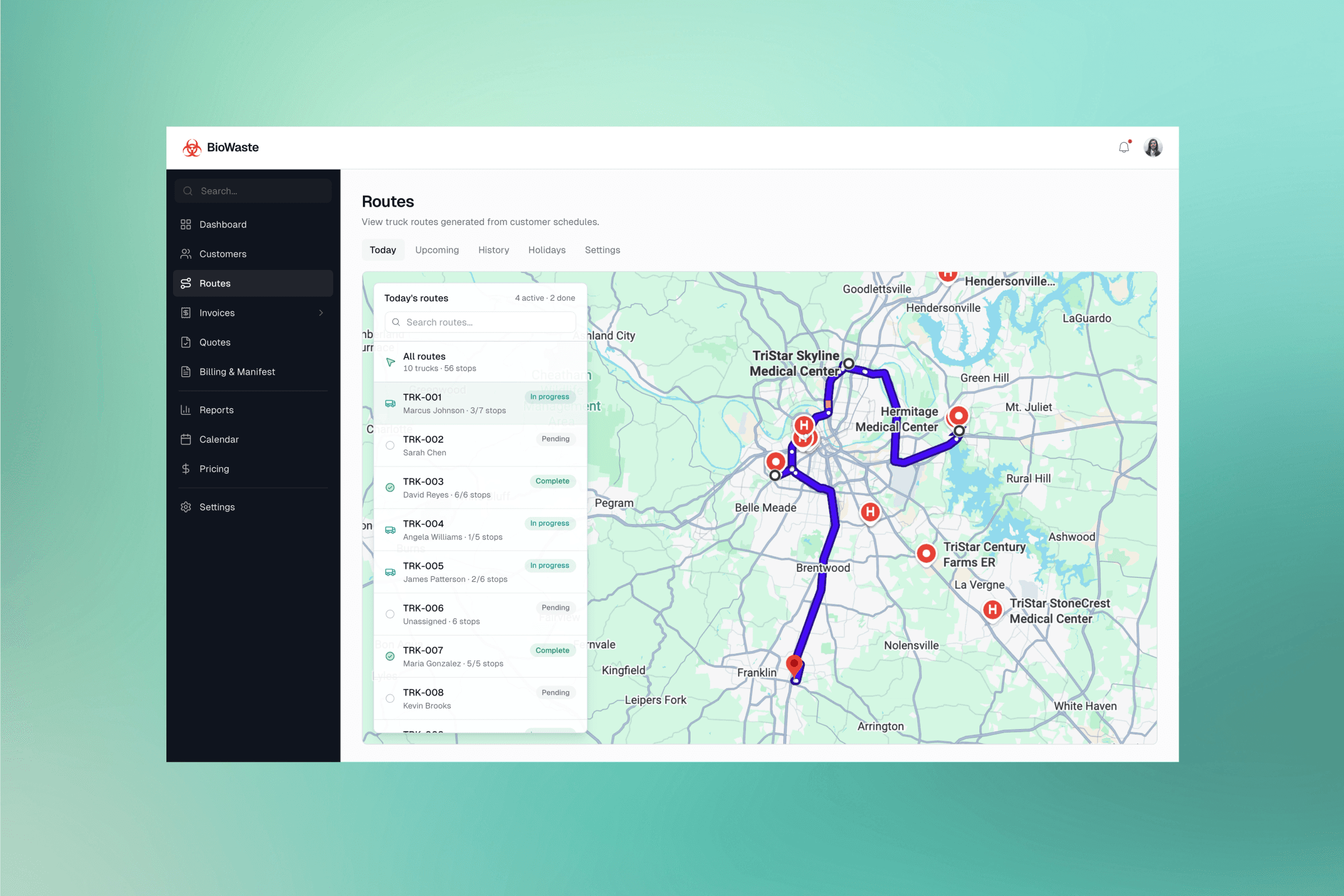
Turning a day of schedules into the right route for every truck
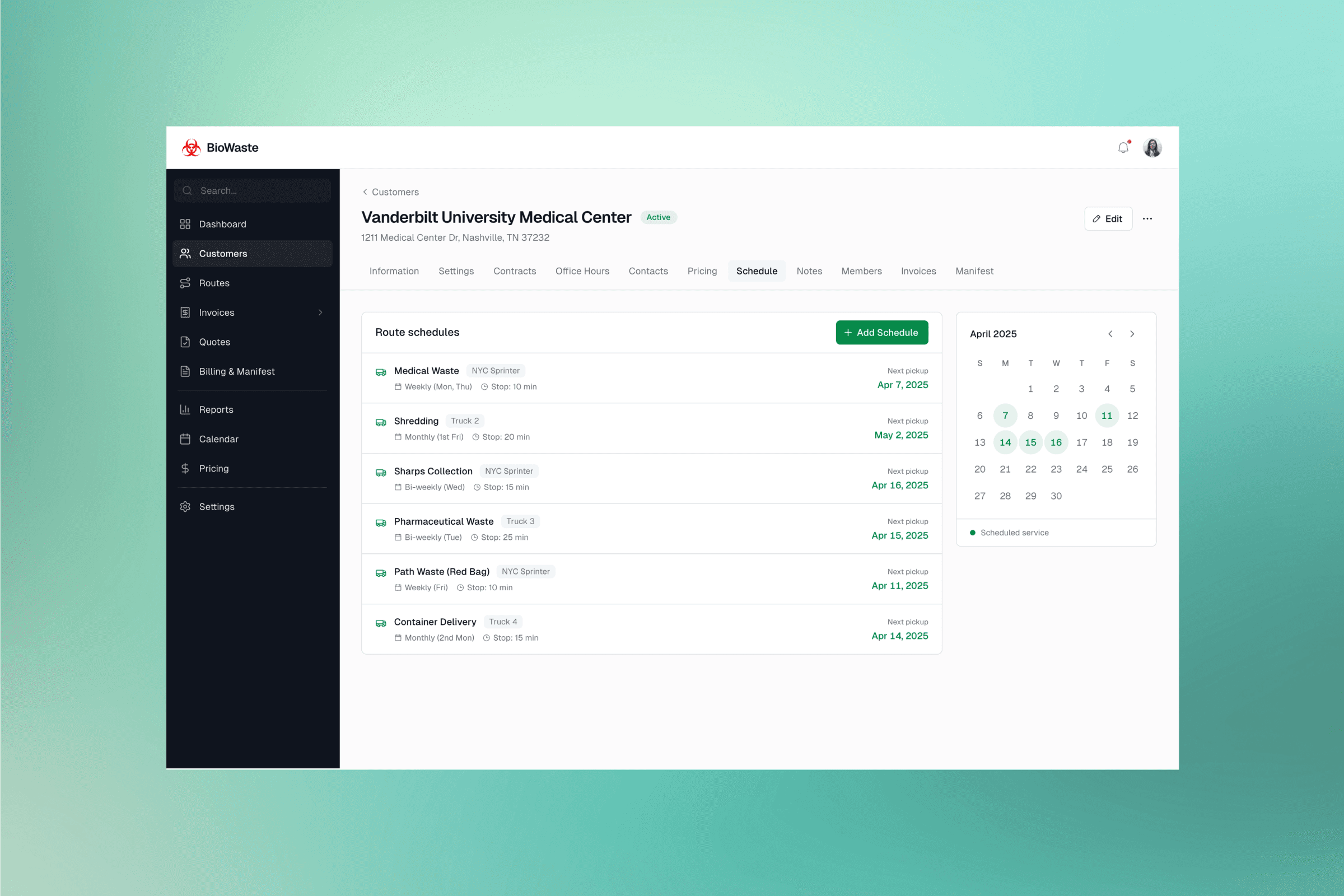
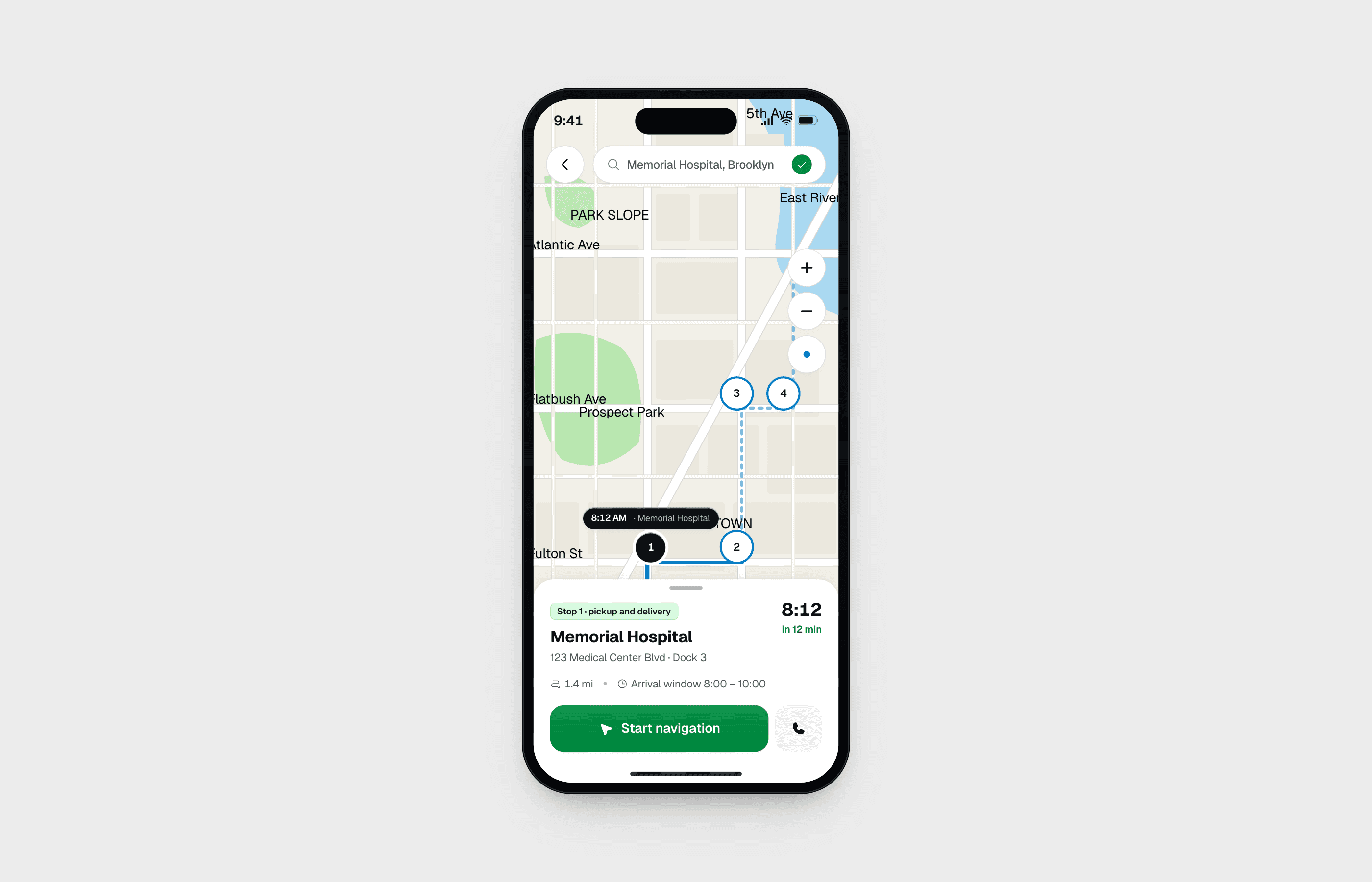
Each day, admins assign trucks to scheduled stops, guided by a nearest schedule opportunity feature. The system assembles each truck's stops into the most efficient route. Drag-and-drop reordering, live map view, per-truck inventory, and a multi-day forward view keep the day fully manageable, even when stops fail or trucks need to be swapped mid-run.
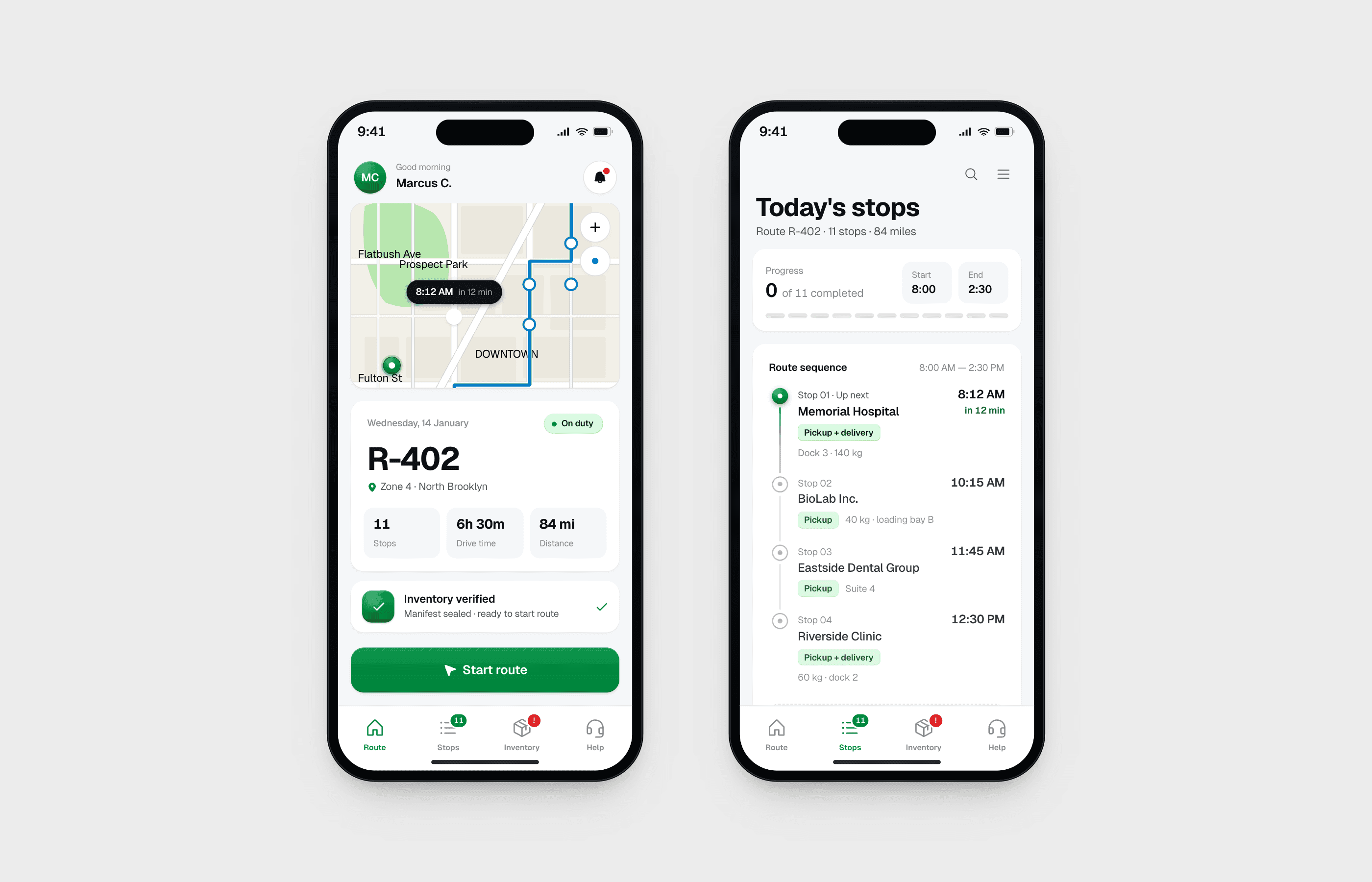
A driver app that meets a 6 a.m. shift
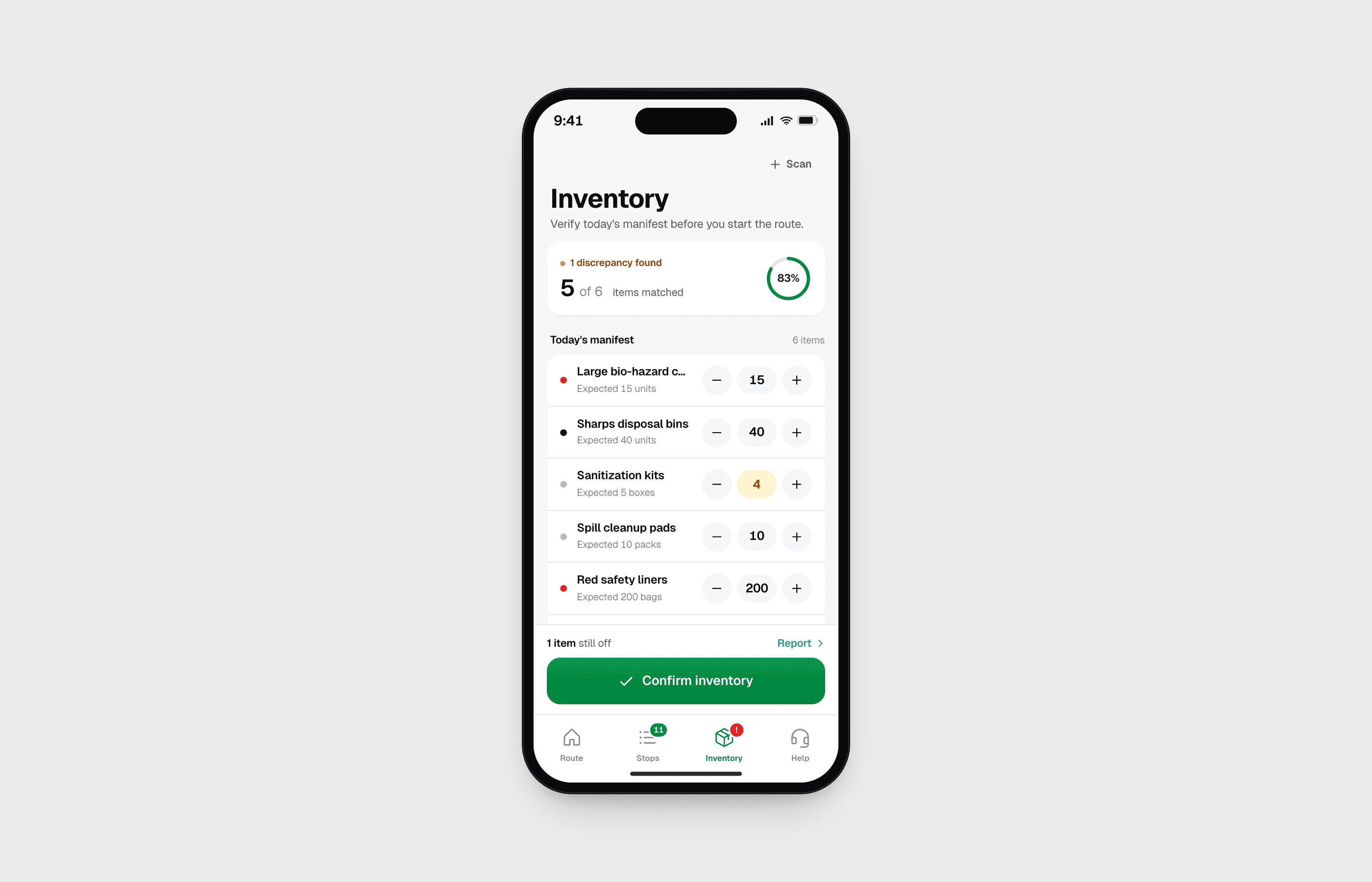
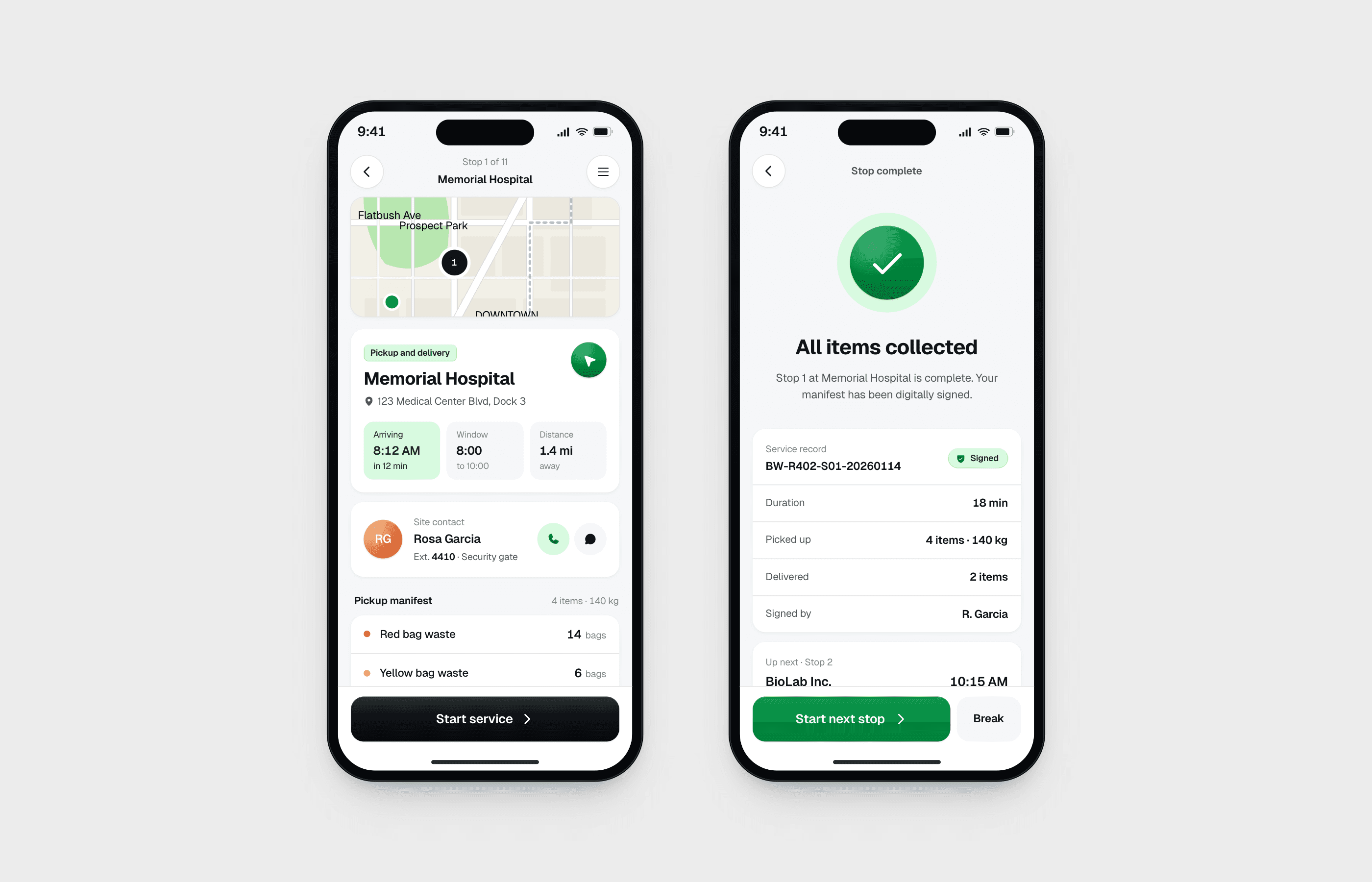
Drivers wear gloves and run 12 stops across 80+ miles. Pill buttons sized for gloved hands, one decision per screen, and bottom sheets that carry a single action. Discrepancies surface in amber before the driver can confirm. Compliance fails loud, not silent.
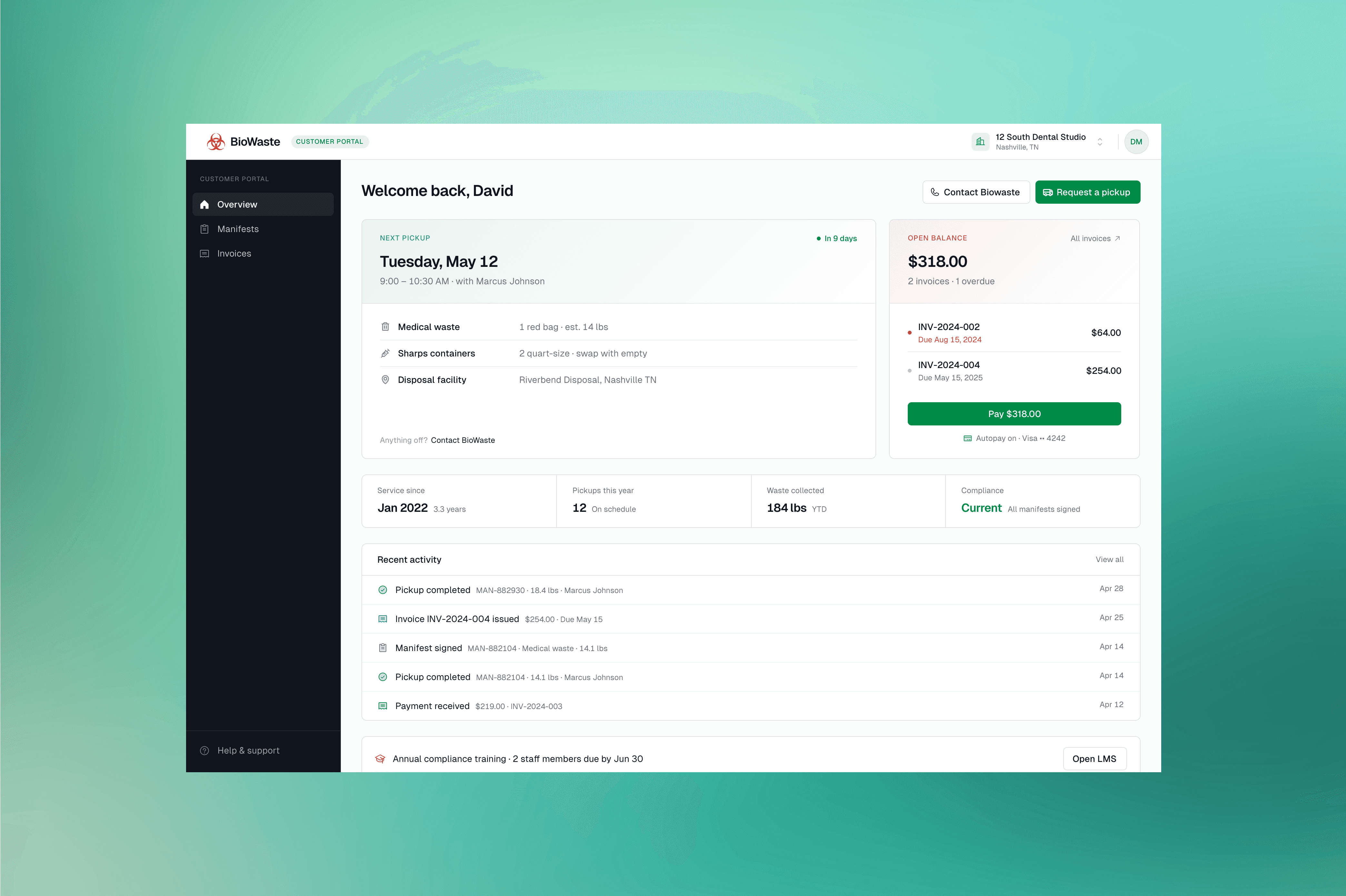
A client portal that does more than show invoices
Pickup history, compliance records, and invoices are self-serve, with multiple payment methods built in. The portal also doubles as a Learning Management System for staff training and a centralised documents directory for compliance paperwork. Everything healthcare facilities need, in one place.
Billing Flow
From a completed stop to a paid invoice
The most critical flow to get right. Every step depends on the one before it. Any break meant billing delays, compliance risk, or a dispute with a healthcare client. Six steps, one connected chain.
Pickup complete: Driver finishes the stop and a manifest is auto-generated.
Delivery complete: Driver completes the delivery (often parallel to a pickup) and a proof of delivery is generated.
Admin reviews: Both records land on the admin side for review and approval.
Billing unit created: On approval, the manifest and proof of delivery merge into a single billing unit for that customer.
Invoice generated: Admin turns the billing unit into an invoice and sends it to the customer. Admin can also pay on behalf of customers when needed.
Customer pays: The invoice appears in the client portal where the customer can pay using any of the available payment methods.
Routes Module
Turning a day of schedules into the right route for every truck
Every customer has a recurring pickup and delivery schedule. Each day, admins assign trucks to scheduled stops, guided by a nearest schedule opportunity feature that surfaces which truck is already closest. The system assembles each truck's stops into the most efficient route. Drag-and-drop reordering, live map view, per-truck inventory, and a multi-day forward view keep the day fully manageable, even when stops fail or trucks need to be swapped mid-run. Tackled last, deliberately, this module had the most edge cases of anything in the platform.
Edge cases drove the design: scheduling conflicts, unserviceable stops, mid-day truck swaps. Every scenario needed a clear admin action, not a dead end.
Insight
The hardest part wasn't designing screens. It was finding the parts of the business nobody had ever written down. The prototype is what made those parts visible.
Final Design
The operating system, shipped.
A stop logged by a driver in the field now flows through manifest generation, admin approval, billing, and invoicing automatically. Every role lives on the same record, in real time. Nothing falls through the gaps.
Outcome
What changed
Once the entire operation lived on a single connected platform, the business stopped fighting its own tools. The change showed up in how the team works day to day, how clients pay invoices, and how compliance is captured in the field.
End-to-end pickup-to-invoice flow connected for the first time, replacing a third-party legacy tool
Manifests, proofs of delivery, and billing units generated automatically from each completed stop
Route optimisation that turns daily customer schedules into the right route for every truck
Compliance captured in the field at every stop, not reconciled after the fact
Healthcare clients self-serve on payments, training, and compliance documents
"Honestly, there were things in here we didn't even think of. Everything sits in the right place, in a way that just makes sense. It came out better than what we'd imagined."
- Founder, Biowaste